Try the FED editor on FreeDOS
 Jim Hall
When I’m not at work on my Linux desktop, you can usually find me writing code for a legacy 16-bit system. FreeDOS is an open source DOS-compatible operating system that you can use to play classic DOS games, run legacy business software, or develop embedded systems. Any program that works on MS-DOS should also run on FreeDOS.
We started the FreeDOS Project in 1994. All these years later, and I still love working on FreeDOS. It is an excellent retrocomputing system, where I can run my favorite DOS applications and games. And yes, I still write code for FreeDOS.
My favorite editor for DOS programming is the FED editor. Shawn Hargreaves wrote and maintained FED from 1994 to 2004, and Robert Riebisch has maintained FED since then. FED is distributed under the GNU GPL and supports DOS, Linux, and Windows. You can download FED at BTTR Software. We also include FED in the FreeDOS distribution, on the BonusCD image.
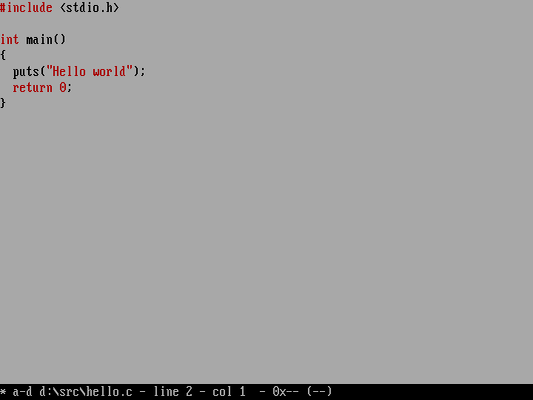
FED is a minimal text editor without a lot of visual flair. This minimal approach helps me make the most of the standard 80×25 screen in DOS. When editing a file, FED displays a single status line at the bottom of the screen, leaving you the remaining 24 lines to write your code. FED also supports color syntax highlighting to display different parts of your code in various colors, making it easier to spot typos before they become bugs.
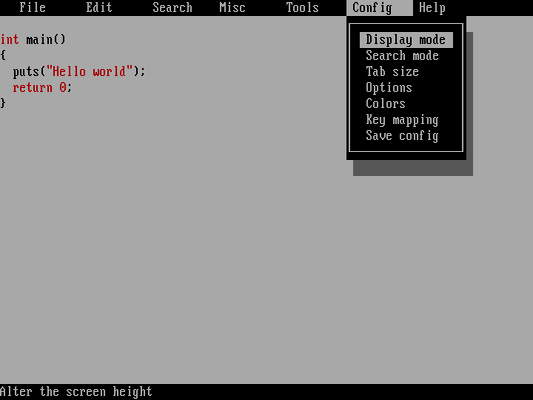
When you need to do something in the menus, press the Alt key on the keyboard, and FED displays a menu on the top line. FED supports keyboard shortcuts too, but be careful about the defaults. For example, Ctrl-C will close a file, and Ctrl-V will change the view. If you don’t like these default keys, you can change the key mapping in the Config menu.
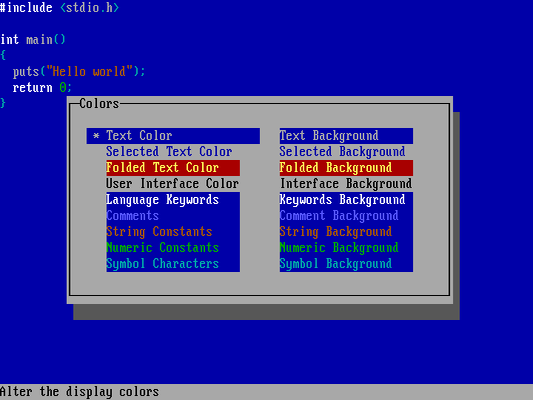
If you don’t like the default black-on-white text display, you can change the colors under the Config menu. I prefer white-on-blue for my main text, with keywords in bright white, comments in bright blue, special characters in cyan, and numbers in green. FED makes it easy to set the colors you want.
FED is also a folding text editor, which means that it can collapse or expand portions of my code so that I can see more of my file. Tap Ctrl-F on a function name and FED will fold the entire function. Here’s a longer program where I’ve folded a function called flame so I can see more of the rest of the program:
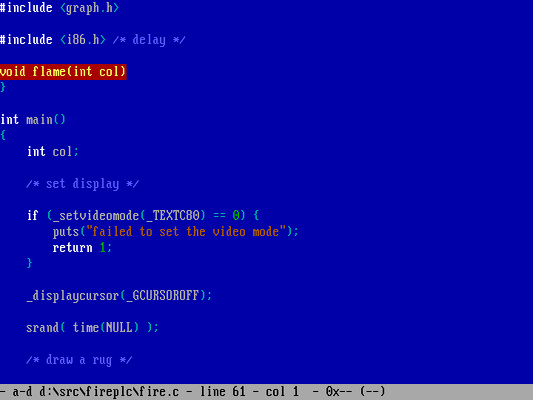
Folding works on other code, as well. I also use folding to hide for and while loops or other flow controls like if and switch blocks.
Adapted from Why I like the FED text editor by Jim Hall