Skip to content

Both.org

News, Opinion, Tutorials, and Community for Linux Users and SysAdmins

Primary Menu
  • About Us
  • Computers 101
    • Hardware 101
    • Operating Systems 101
  • Linux
    • Why I use Linux
    • The real reason we use Linux
  • My Linux Books
    • systemd for Linux SysAdmins
    • Using and Administering Linux – Zero to SysAdmin: 2nd Edition
    • The Linux Philosophy for SysAdmins
    • Linux for Small Business Owners
    • Errata
      • Errata for The Linux Philosophy for SysAdmins
      • Errata for Using and Administering Linux — 1st Edition
      • Errata for Using and Administering Linux — 2nd Edition
  • Open Source Resources
    • What is Open Source?
    • What is Linux?
    • What is Open Source Software?
    • The Open Source Way
  • Write for us
    • Submission and Style guide
    • Advertising statement
  • Downloads
  • Home
  • MasterFrame update
  • Hardware
  • Linux

MasterFrame update

David Both March 22, 2022 2 minutes read
essex-20260202-01-Resized

Last Updated on February 3, 2026 by David Both

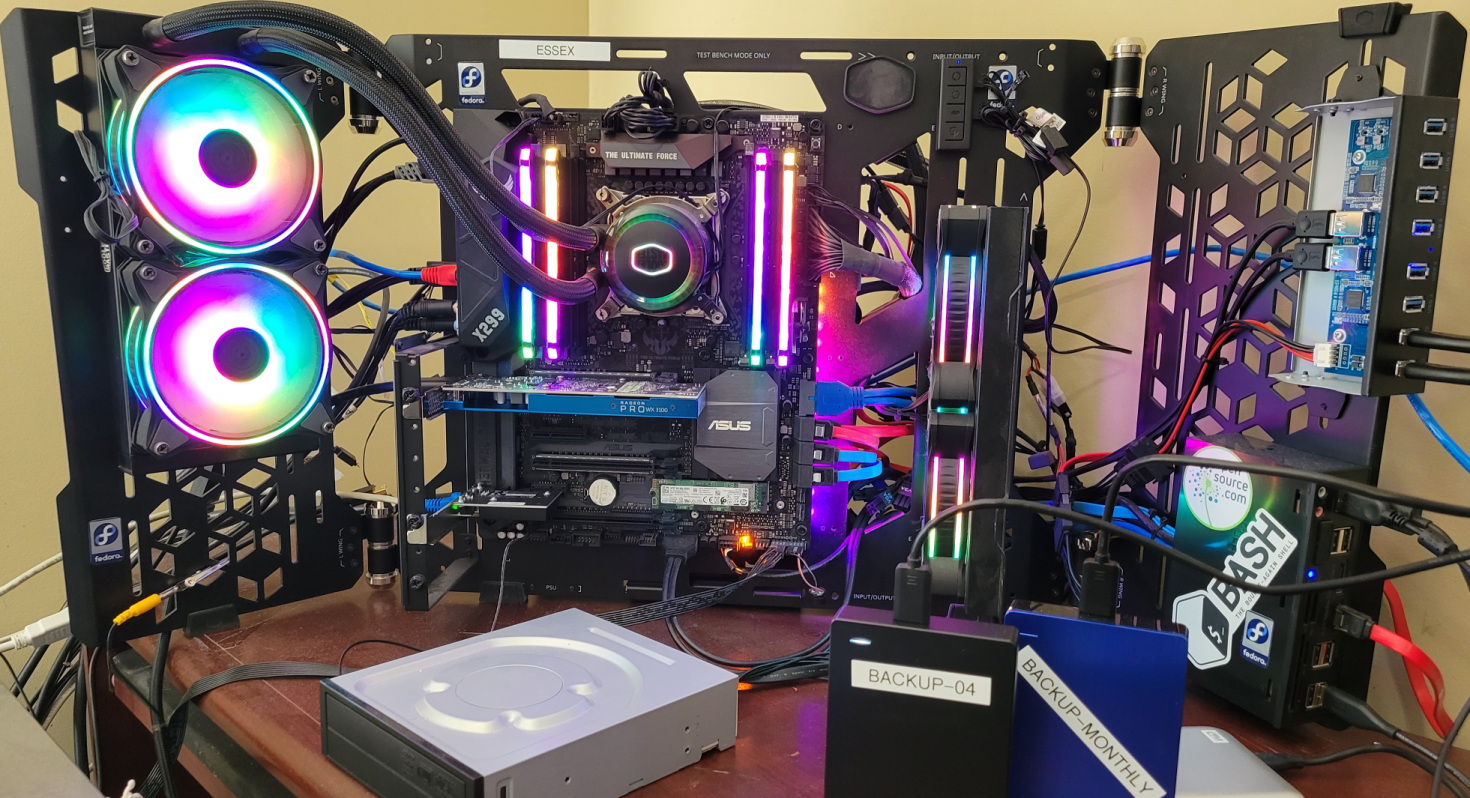
I have done some additional hacking on my primary workstation after initial installation in the CoolerMaster MasterFrame 700. The picture shows the current state. There will never be a final result because this frame just cries out to try new things.
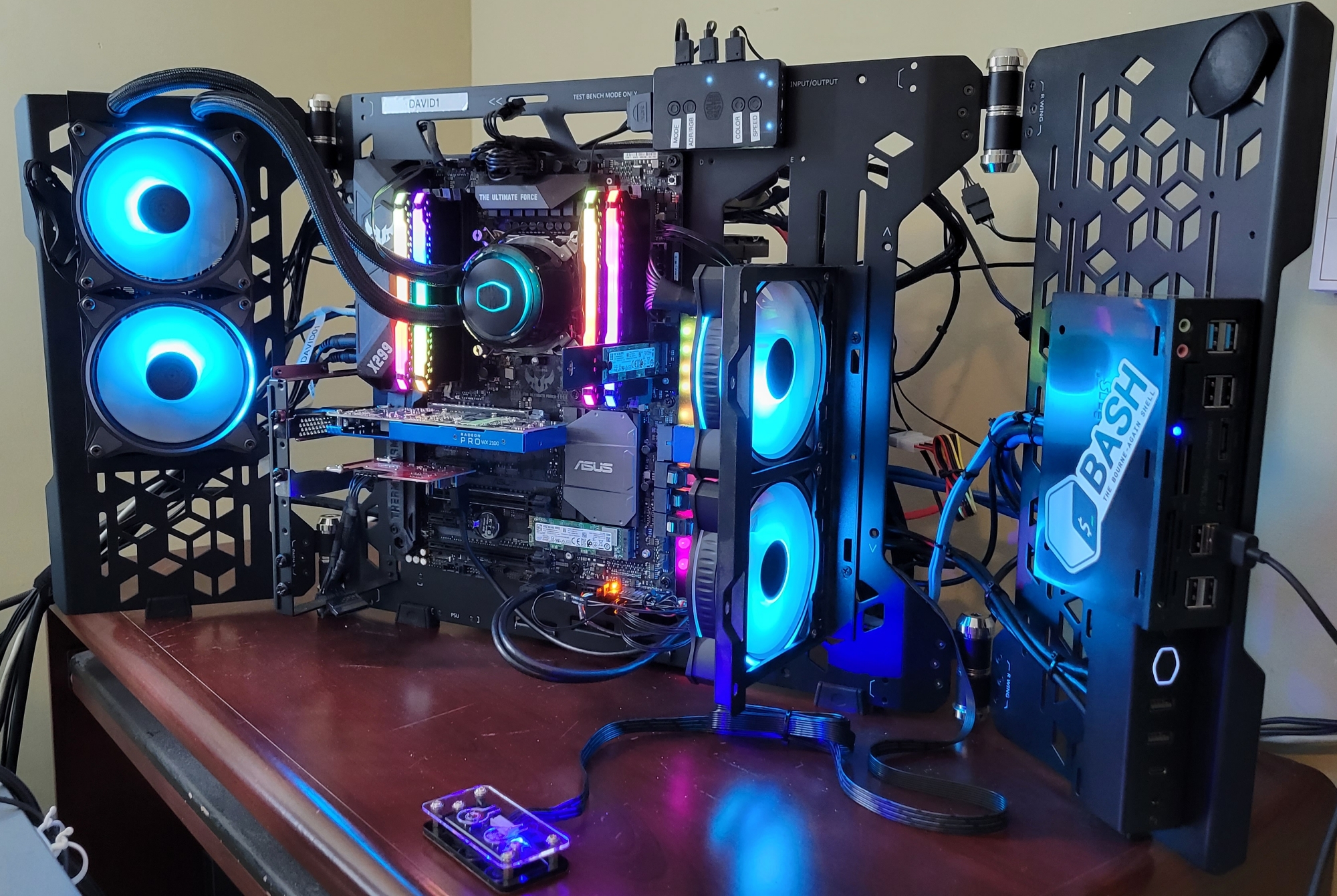
The first thing I did was add the pair of fans on the right side of the main frame. The frame I mounted the fans on is not part of the MasterFrame. It was originally part of my Thermaltake Core X9 case and I used it there for fans to cool the hard drives. It works perfectly on this MasterFrame 700 and I mounted it using the small flat-head bolts with washers provided with the MasterFrame. I use these fans to move cool air over the motherboard with its two M.2 SSDs, four memory DIMMS, and two plug-in adapters. One of those adapters is the Radeon Pro WX2100 graphics adapter.

I lowered the 5.25 media dashboard to leave more room at the top of that wing. I also added the BASH sticker.

You can see the original I/O panel just underneath the media dashboard with the power LED in the shape of the CoolerMaster logo. I have a problem with this panel because it has no reset button or storage drive activity LED. So I purchased the add-on box at the bottom of the picture. This little box contains power and reset switches as well as LEDs for power and storage device activity. It does not have USB or Thunderbolt connectors but the original I/O panel does have those. In order to have both panels active with their common functions, I purchased a set of cable splitters designed for just this purpose.

I originally installed the AIO radiator cooling fans on the left wing to suck air through the radiator. Unfortunately that did not allow a good option for air filters on the back side of the wing because the radiator mounting screws interfered with that. So I reoriented the fans to blow air through the radiator but installed 120mm screens with holes already in the right places between the fans and the radiator. So now I have clean air and a clean look on those fans.

It looks great and works extremely well. The motherboard and CPU temperatures are as much as 5 degrees Celsius less than they were in the Thermaltake case.

Tags: Hardware MasterFrame 700

Post navigation

Previous: New Case for my Primary Workstation
Next: My Next Book

Related Stories

automation-gears-person
  • AI
  • Books
  • Linux

Using AI to Generate Alt Text

David Both June 4, 2026
brave-browser-01
  • Linux
  • Problem Solving

Fixing Brave’s Flatpak Profile Error

Don Watkins June 2, 2026
OSDC_Penguin_Image_520x292_12324207_0714_mm_v1a
  • Community
  • Linux

Introduction to Linux (free ebook)

Jim Hall June 1, 2026

Random Quote

Machines should work; people should think.

— IBM’s Pollyanna principle.

Why I’ve Never Used Windows

On February 12 I gave a presentation at the Triangle Linux Users Group (TriLUG) about why I use Linux and why I’ve never used Windows.

Here’s the link to the video: https://www.youtube.com/live/uCK_haOXPFM 

Why there’s no such thing as AI

Last October at All Things Open (ATO) I was interviewed by Jason Hibbits of We Love Open Source. It’s posted in the article “Why today’s AI isn’t intelligent (yet)“.

Technically We Write — Our Partner Site

Our partner site, Technically We Write, has published a number of articles from several contributors to Both.org. Check them out.

Technically We Write is a community of technical writers, technical editors, copyeditors, web content writers, and all other roles in technical communication.

Subscribe to Both.org

To comment on articles, you must have an account.

Send your desired user ID, first and last name, and an email address for login (this must be the same email address used to register) to subscribe@both.org with “Subscribe” as the subject line.

You’ll receive a confirmation of your subscription with your initial password as soon as we are able to process it.

Administration

  • Log in
  • Entries feed
  • Comments feed
  • WordPress.org

License and AI Statements

Both.org aims to publish everything under a Creative Commons Attribution ShareAlike license. Some items may be published under a different license. You are responsible to verify permissions before reusing content from this website.

The opinions expressed are those of the individual authors, not Both.org.

You may not use this content to train AI.


Advertising Statement

Both.org does not sell advertising on this website.


Advertising may keep most websites running—but at Both.org, we’re committed to keeping our corner of the web ad-free. Both.org does not sell advertising on the website. Nor do we offer sponsored articles at this time. We’ll update this page if our position on sponsorships changes.

We want to be open about how the website is funded. Both.org is supported entirely by David Both and a few other dedicated individuals.


Copyright © All rights reserved. | MoreNews by AF themes.