 David Both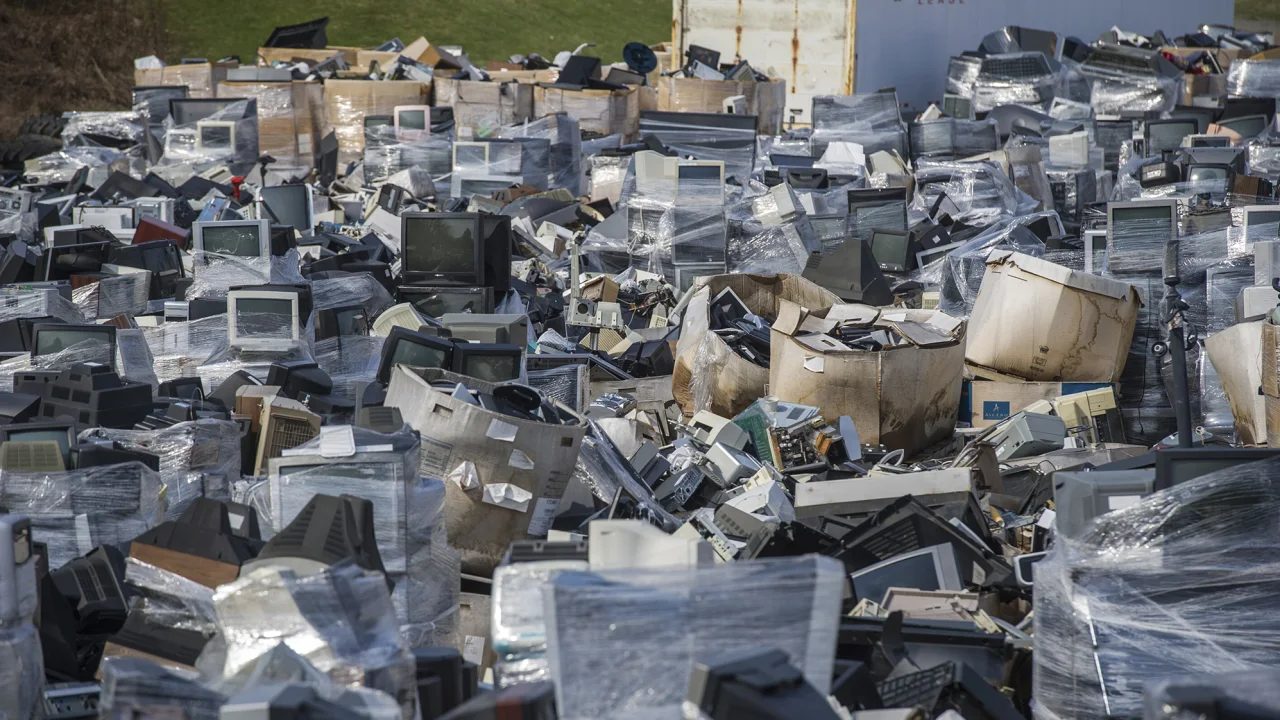
Last Updated on September 25, 2025 by David Both
Image by Dan Speicher/Pittsburgh Tribune-Review/AP from CNN
If you’ve read some of my posts on this site or Opensource.com, or some of my books, you know of my concern for the environment. Not that I am perfect in this respect you understand. But I am doing my best. Because I have 12 working computers at home right now and parts do break sometimes, the proper disposal and subsequent processing of the recycling stream is important to me.
Recycling – a little
Fortunately the recycling center near me in Raleigh, North Carolina, looks a bit like the image at the top of this post. Some people at least bring their old electronic devices for recycling.
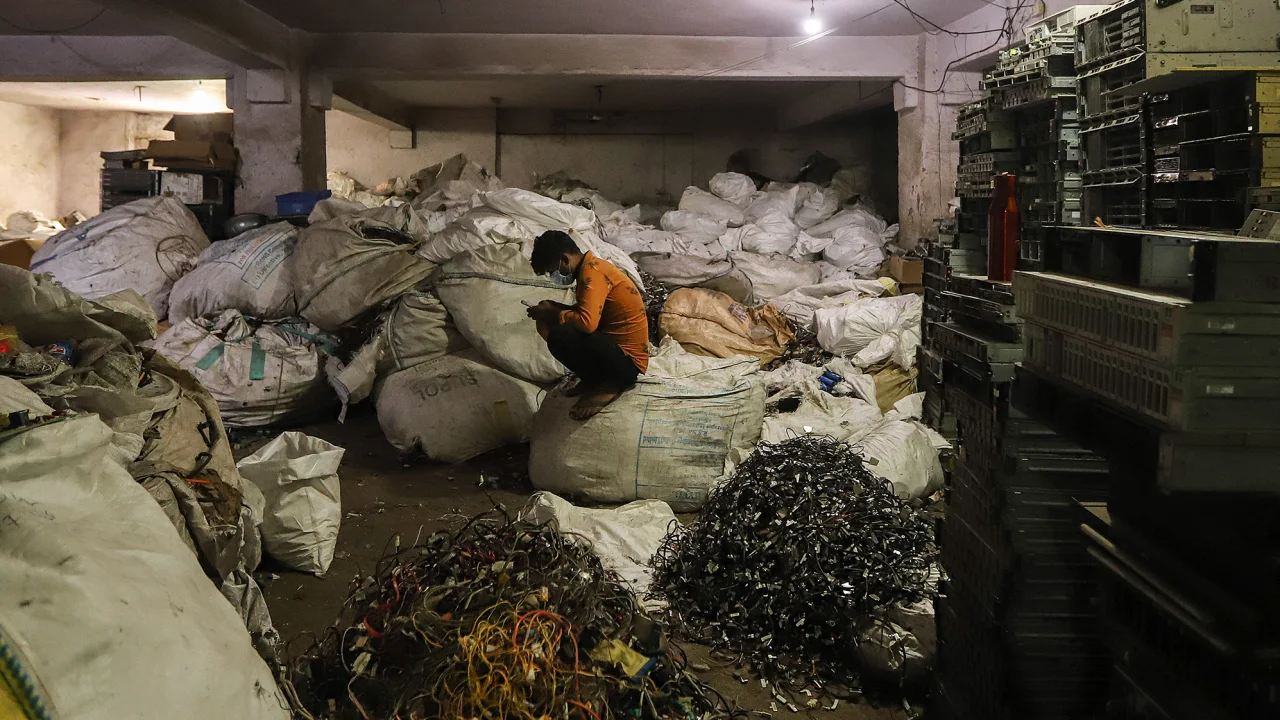
Amarjeet Kumar Singh/SOPA Images/Shutterstock
Unfortunately only 17.5% of e-waste is recycled. That’s not very much and huge amounts of e-waste simply get buried in landfills or worse – dumped along the side of the road. One of the most disturbing things I’ve ever seen is close by. My wife and I walk the greenways here in Raleigh, which are created and maintained by our Wake County government. Someone had dumped a trailer-load of waste, including computers and other electronics a couple hundred yards into the path we were walking. The county did clean that up but it does make you wonder about the idiots who did that.
Of that 17.5%, most of it gets sent to countries that have little choice but to accept the fact that the rest of the world dumps its e-waste there. Figure 2 shows one instance of what that looks like.
Most Computers Can be Saved
The vast majority of the computers we discard are not broken. The fallacy of the 5-year lifespan is misinformation based on stupidly inaccurate articles like this one at the Small Business Chronicle. IRS rules like 5 year depreciation only reinforce the lie that computers should be replaced frequently. This type of misinformation about why Windows computers slow down is designed to create pressure to buy – to keep money flowing into the system and out of your pocket.
One bad component does not mean that a computer needs to be discarded regardless of whether it ends up in the recycling stream or the landfill – or the local nature walk. What do you do when your car breaks down? You fix it and get the defective part replaced. The same can be done for computers.
But My Computer is so Slow!
No – It’s not! Computers always run at their predetermined processor speeds but may be designed to slow down when nothing is going on to save energy. They can then go faster when needed. Most people are misled into purchasing a new computer when their old ones appear to get slow.
The problem lies in all the malware that is collected by Windows that actually forces the computer to speed up due to the CPU cycles they consume. That crapware includes the pop-ups that encourage or scare you into purchasing the latest version of some software. That junk monopolizes system memory and processor which takes system resources, is annoying, and wastes energy. It also means that the real software you need to use is starved for those system resources so doesn’t do its job as fast as you expect it to.
What Happens Here in Raleigh
Despite being able to save most old computers, I still need to recycle the parts that are truly defective. So what does that look like here where I live?
R2 -Recycling
We are quite fortunate to have a recycling convenience center about a mile from us. All of the e-waste, including old computers and computer parts are sent to an R2 certified facility, also here in Raleigh. That facility tests each old computer and salvages any parts that are still working. Using those parts, they refurbish other computers and then send those refurbished ones to Kramden Institute. More on that in a moment.
Anything that cannot be used because it is truly defective is recycled to recover things like precious metals.
Kramden Institute
Kramden Institute is a non-profit in Durham, NC, which started as a father/son project in June 2003 by Mark and Ned Dibner (“Kramden” is ‘Mark’ and ‘Ned’ spelled backwards). The idea came from Ned, then 13, who suggested to his father that they refurbish and fix older computers to donate to middle school honor-roll students in Durham, NC who could not afford home computers.
Kramden Institute’s mission is to provide technology tools and training to bridge the digital divide. Since 2003, Kramden has awarded more than 48,000 computers to deserving families across North Carolina and beyond.
Kramden expanded its programs in 2014 to include educational programs for members of the community who lack basic computing skills. Since that time, over 9,000 individuals have completed one of their adult computer classes, taken part in STEM after-school programs, or enrolled in a workshop or technology camp.
What Can You Do?
It can be difficult in many locations to recycle computers and other e-waste responsibly. But you can do your best with the following steps.
- Use Linux to extend the life of your computer.
- Fix computers that do break.
- Check for an R2 certified recycling center and take your defective electronics to one of their pickup points or convenience centers.
- Search for an organization like Kramden Institute near you and donate your old computers there. Be sure to determine what they do take because most won’t take printers, CRT displays, or non-computer waste.
- Some manufacturers have free recycling programs. System76 where I purchase my laptops, provides a free return service and they will recycle from there.
More reading
Over the years I have published some articles on this site about using Linux and reclaimed parts to restore older computers. Rather than reproduce all of that here, you can use the following links.
- Why I Save Old Computer Parts
- Saving Another Computer with Linux
- Saving Old Computers – and the planet
- How Linux rescues slow computers (and the planet)
- Your computer isn’t broken – it just needs Linux
- As many as 400,000,000 Windows 10 PCs can’t be upgraded to Windows 11
- Linux: The Sustainable Choice for Computing and Environmental Responsibility

 Don Watkins
 Jim Hall