Jim Hall
I’ve used Linux on my desktop since the early 1990s. But I knew I was exploring new ground; in those days, Linux was quite new and didn’t have very many apps. The Linux desktop was also still in its infancy, only sporting a handful of graphical user interfaces such as TWM or FVWM that weren’t yet on par with “desktops” like Mac or Windows. So it was hard to convince many friends or family to make the jump with me.
That is, until 2000. By that time, Linux had two interfaces that were proper desktop environments: KDE (1998) and GNOME (1999). And by 2000, GNOME 1 had become solid enough that my wife thought it was the right time for her.
First time on Linux
My wife decided to make the switch to Linux in summer 2000, with Red Hat Linux 7. The GNOME 1 desktop interface was quite similar to Windows98 or Windows 2000, which was the current Windows release at the time. And Sun Microsystems had just acquired StarOffice and made StarOffice 5.2 available as a free download for personal use, which meant we had a fully-functioning office suite to go with it.
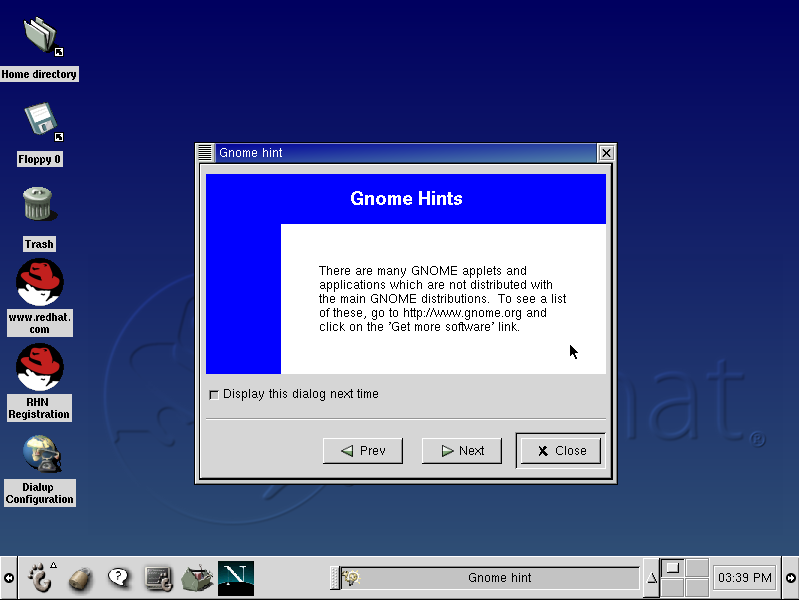
Over time, we upgraded her laptop with each new release of Red Hat Linux, and then Fedora Linux starting in 2003. We were a happy Linux household.
Move to Chromebook
With the release of GNOME 3 in 2011, things changed. Fedora 15 with GNOME 3 completely changed the user interface, removing the menu bar and transitioning to an “app overview” mode. If you weren’t around at that time, you may not remember that GNOME 3 was divisive: you either loved it or hated it, there wasn’t much middle ground.
On top of that, my wife was in the market for a new laptop. I’d always had positive experiences in running Linux on laptops, usually Lenovo or Dell; I found you had to be careful about what video card and what network card came with it, but generally Linux ran great on Intel video and Intel WiFi cards. Except for the laptop that we bought. The manufacturer had opted for a non-Intel WiFi card, and that didn’t play well with Linux. After trying different drivers and kernel parameters for a week, we had to give up—Linux didn’t work on this laptop.
Around that time, Google had released the first Chromebooks. First available in May 2011, the Chromebook was a new way to think about your desktop. The Chromebook is really only a portal to get you online, and all of your apps run from a web browser. And if all of your work happens online anyway, like Gmail and Facebook and other web-delivered services, then the desktop no longer matters that much.
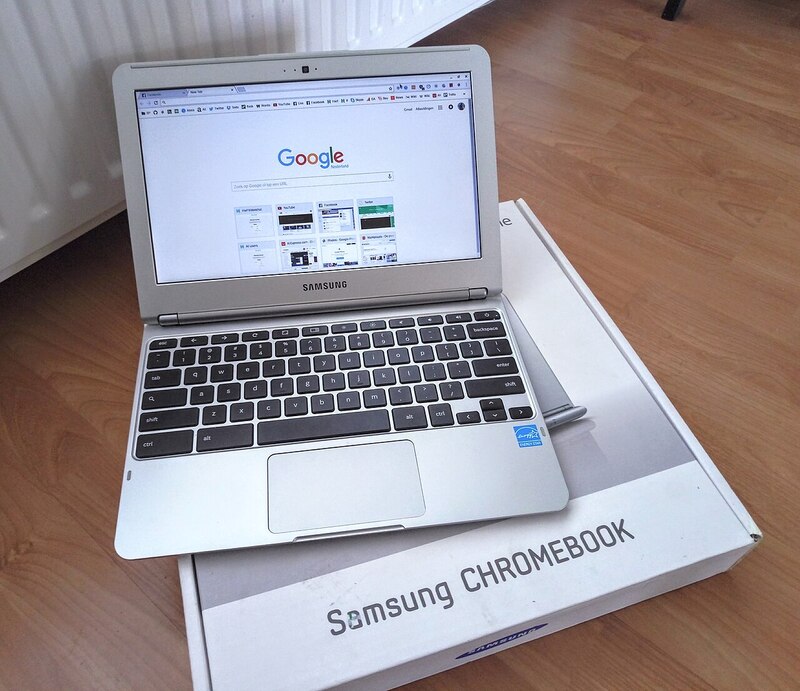
And it helped that Chromebook used an interface that was already very familiar: icons along the bottom of the screen, similar to a task bar. Just click on the Chrome logo to start the web browser, or the Gmail icon to view your email in Chrome, or the YouTube icon to watch videos on YouTube in Chrome. Everything was Chrome, but it felt like a full desktop.
For people like my wife, that was a pretty attractive proposition. In late 2012 or early 2013, we purchased a Chromebook about $250) and with that, my wife left Linux.
Back to Linux
For the last year or so, my wife and I have both become increasingly frustrated with Big Tech. It didn’t help that Google had announced the end-of-life for my wife’s Chromebook. Google’s Chromebook business model is based on constant upgrades, so the Chromebooks fall out of support after just a few years. The value of a Chromebook just wasn’t there anymore.
She liked how my Xfce desktop worked, and she had bad memories of GNOME (she ran GNOME until about 2012, and never liked GNOME 3) so she wanted me to put Fedora Xfce on her new laptop.
She specifically wanted a Lenovo X1 Carbon, since my other X1 Carbon lasted for 13 years. And it’s really nice hardware. I kept an eye on the X1 Carbon prices, and when the new model came out, last year’s model (which is just fine) suddenly dropped in price. I was even happier to buy an X1 Carbon with Ubuntu Linux pre-installed on it—no Microsoft tax.
The new laptop arrived conveniently right after the Fedora 44 release. Before installing Fedora on the new X1 Carbon, we booted into Ubuntu, just to see what it was like. Ubuntu uses GNOME as the default desktop, but I didn’t tell my wife that. Interestingly, she didn’t like the interface, and still preferred running Xfce like I did.
Reinstalling the laptop with Fedora 44 Xfce took only a few minutes, plus a few more minutes to help my wife set up her desktop the way she wanted it. It was her first time on Linux in over 13 years, but she had an easy time getting back into it. And with Google Chrome, it didn’t take long to get back online with email and browsing the web.
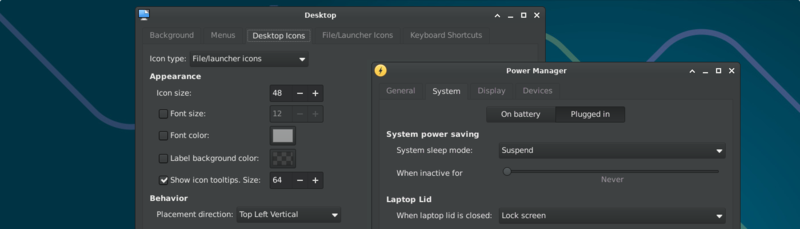
My wife loves using the default Dark Mode in Xfce. After moving the panel to the bottom of the screen, Xfce had a very familiar feel. And while it was a bit of a challenge to tweak Xfce’s panels and launchers (which were a bit odd for her, since that’s not how you add things to the Chromebook desktop) we got things set up to her preferences without too much hassle.
And above all, we’re a Linux household again.

 Don Watkins