Jim Hall
Sometimes I just need to take a break in my work and let my mind relax. And a great way to spend that time is with a word game or word puzzle.
One word game that was quite popular for a time was Wordle, now hosted at the New York Times. I wrote about that a year ago, about how to use grep to solve Wordle and similar word-guessing puzzles. With a few passes of the grep command, you can quickly narrow your word guesses from over fifteen thousand to just a few possible words.
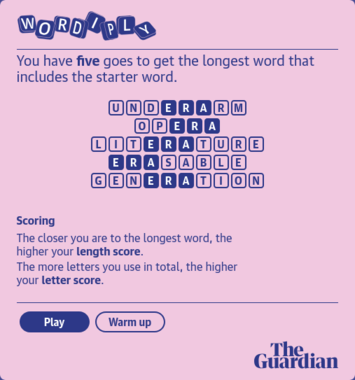
I recently discovered another, similar word-guessing puzzle called Wordiply, from The Guardian. In Wordiply, you have five guesses to write the longest word that includes another, shorter word.
Strings and substrings
For example, the “warmup” game starts with “her,” so you need to guess words that have “her” in it, such as somewhere or therefore.

This is another example where grep can shine. Let’s use grep to pick long words with this shorter word inside it. The technical terms that I’ll use here are string and substring: the longer word is the string and the shorter word within it is the substring.
First, let’s make a list of all possible words that we can use. Linux stores a list of known words in a file called /usr/share/dict/words, but this list contains “non-words” that we don’t want to use. For example, that list has proper nouns like Minnesota, people names like Aaron, acronyms like USB, and other words that contain hyphens or other punctuation symbols. These words will not be recognized by Wordiply, so we should start with a list of words that we can use.
The grep command uses regular expressions to match text. Certain symbols have special meaning, like ^ to match the beginning of a line, $ for the end of a line, or * to mean zero or more of the character before it. Refer to the grep manual for a full list of the regular expressions you can use.
In this case, we want to find words that contain only lowercase letters, and nothing else. As a regular expression, we can represent that as ^ for the beginning of a line, then [a-z] to match any lowercase letter, followed by * to make that multiple lowercase letters, and finally $ to match the end of a line. That command matches over 355,000 words:
$ grep '^[a-z]*$' /usr/share/dict/words > allwords

$ wc -l allwords
355537 allwords
The game starts with “her” as the “inner” word, so we can use that as the substring to match. This is a simple grep command to find the substring “her” in the list of all words. This reduces the list to just over 4,300 possible words that contain the substring “her,” including abolisher and whither:
$ grep her allwords > herwords

$ wc -l herwords
4304 herwords
The longest words
The list is in alphabetical order, because that’s how the /usr/share/dict/words file started out. The new list has long words and short words mixed together. But the point of the game is to find the longest words that contain “her.”
Let’s take the next step with another classic Unix command called awk to print the length of each word in the list. The awk language is actually a mini-scripting language, with each instruction as “condition {instruction}” pairs. The condition might be a variable comparison like a==z for when the a variable is equal to the z variable, or i>2 for when the variable i is greater than 2, or it could be a regular expression like /^abc/ to match lines that start with the letters “abc.” The instruction always goes inside { } curled braces.
Without a condition, awk will run the instruction for every line in the file, which happens to be what we want. To add the length of each word, we can use the length function in awk, which is the length of a word or line. We’ll also print the word itself at the end, so we can use it later.
$ awk '{print length($1), $1}' herwords > herwords.nThis produces a list in herwords.n that has the word’s length, then a space, followed by the word itself. The first 10 entries look like this:
$ head herwords.n
9 abolisher
10 abolishers
12 accomplisher
13 accomplishers
10 acerathere
5 acher
7 acheron
10 acheronian
10 acherontic
11 acidanthera
But to find the longest words, we need to sort this list according to length. The sort command will do just that; sort is another classic Unix command. On Linux, you can add -n to sort as numbers, which will sort the list according to the number up front. Adding the -r option will reverse the sort, so the biggest numbers (longest words) will appear at the top of the list.
To make the list easy to view, let’s send the output to the less command, which is the standard file viewer on Linux:
$ sort -nr herwords.n | less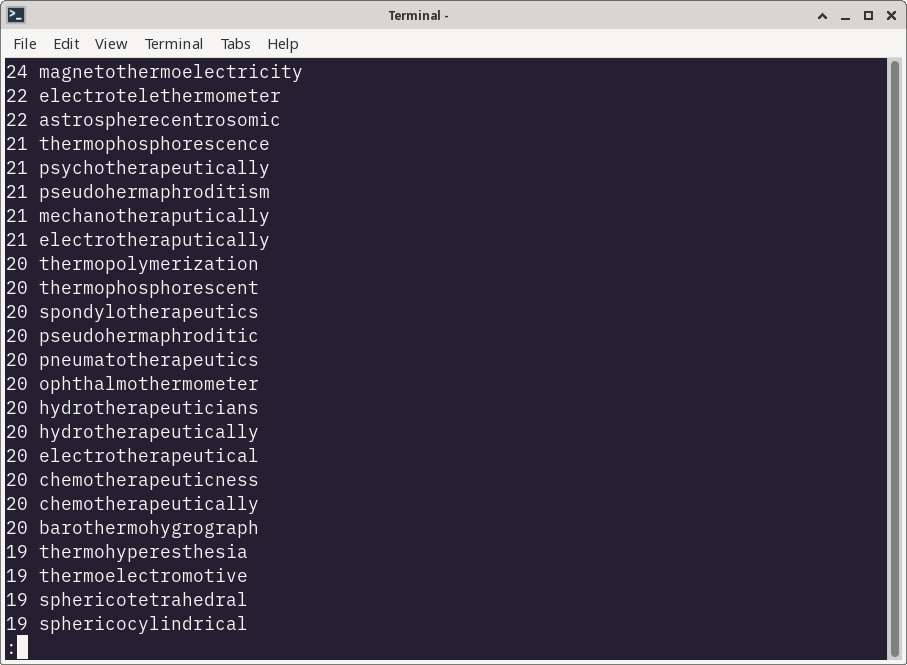
All that’s left is to scroll through the list of words and guess words that we think will be in the Wordiply dictionary. For example, magnetothermoelectricity is not recognized by Wordiply, but crystallographers is.


After that, it’s a matter of scrolling up and down the list to find similarly long words, and making guesses for words that are likely to be in Wordiply’s dictionary.
Maybe it’s cheating, but it’s also an excellent demonstration of how to use grep and other Linux commands to solve real-world problems. In this case, grep, awk, and sort did the job to find very long words, narrowing the list of possible words from over 355,000 to about 4,300 words, and presenting the list in a way that we can use.

 Don Watkins