Book Update — Chapter 26, Printers
 David Both
This week I’ve been working on Chapter 26, “Printing,” in the 3rd Edition of my Using and Administering Linux self-study book series. It’s been a bit of a challenge.
The problem
I had a couple problems getting started with the revisions to this chapter. First, a lot has changed for Linux printing in the last few years. Printer drivers are deprecated and will no longer be supported by the Common Unix Printing System (CUPS) in the near future. Previous versions of this chapter were baased solely on the use of drivers.
Second, my only printer, a Brother MFC that has served me well for several years, became a massive brick. It had started with occasional problems that became frustrating. A few days ago, it turned itself off and I was unable to revive it. It’s now a very heavy paperweight that sits on a desk while I try to find someone to help me remove its 80 pounds of uselessness to the nearby recycling center.
The solution
I purchased a new printer but not before spending a couple hours trying to determine which printers currently on the market are supported by Linux.
It used to be that drivers were not available for many printers. Some vendors, like Brother and HP, would provide drivers and PPD files for some but not all their printers. PPD files are Postscript Printer Definition files that define the printer’s capabilities such as color, duplex, and more. It would be a game of printer roulette to choose a printer that had proper support.
IPP-EveryWhere
But the rules have changed. There’s now a standard printing interface developed by the Printer Working Group (PWG), IPP-Everywhere, that works on 98% of all printers sold in the past few years. This new interface takes much of the frustration out of purchasing a new printer and trying to find drivers for it. That’s true of all operating systems, including Windows.
Many older printers don’t have this interface built in, so would still require use of drivers. However, CUPS displays warning messages stating that drivers are obsolete and won’t be supported at all in the future.
Printers that are compatible with driverless printing use IPP Everywhere and/or AirPrint protocols for their interface connections to the host computers.
You can find a list of printers that support the IPP-Everywhere and AirPrint standards on the OpenPrinting website. That page lists 10,284 printers that support driverless printing. All but one of those support AirPrint, and 440 support IPP-Everywhere directly.
The printers I selected that met my needs were all listed in that document.
Configuring the new printer
I’ve had excellent experiences with Brother, so I chose a Brother DCP-L2640DW, a monochrome multi-function laser printer with a duplex feature. It was easy to set up, but the specifics of that are outside the scope of this post.
I set the printer up on my network, like my previous printer. I added it to my DHCP server using the same IP address as the previous printer, and just changed the MAC address in the dhcpd.conf file.
I used the CUPS built-in web configuration tool to add the new printer queue and delete the old printer queue. This is the recommended tool for adding and managing printers. You can access it at the URL http://localhost:631/admin on any Unix or Linux system because they all use CUPS for printing.
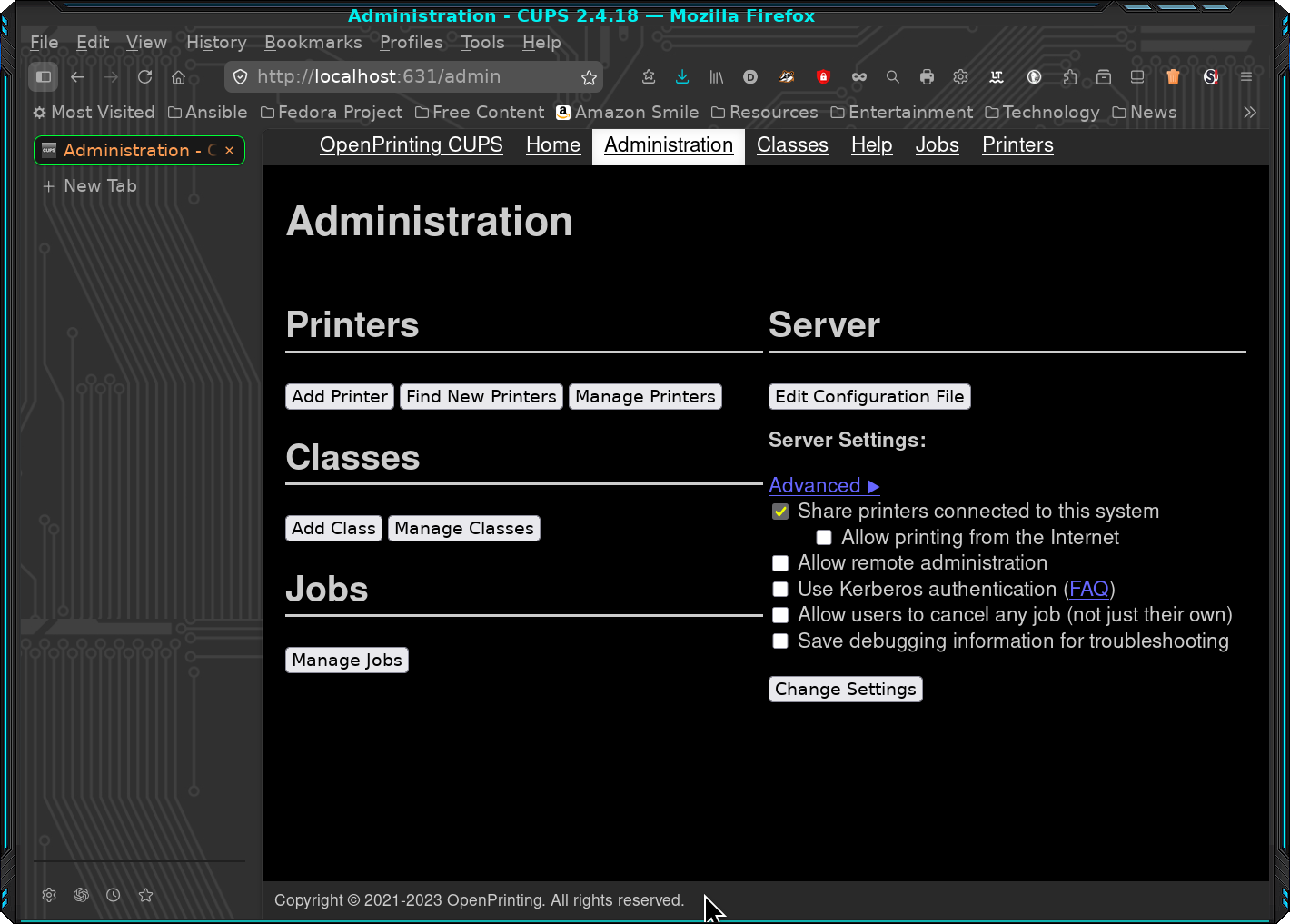
The key to setting up any Print Everywhere printer is to choose the IPP Everywhere connection, whether on the network or connected by USB. All printers are now generic printers to CUPS because one interface works for them all.
Final words
My printer works perfectly. I’m happy about that and can now proceed with Chapter 26.
The death of my old printer presented an opportunity to learn more about IPP Everywhere printing. It was a necessity since no drivers were available for this printer. I discovered that using the CUPS web interface to configure a printer queue was quick and easy.
I cover this in more detail in Chapter 26 of my book Using and Administering Linux, Volume 2, 3rd Edition.

 Jim Hall