Skip to content

Both.org

News, Opinion, Tutorials, and Community for Linux Users and SysAdmins

Primary Menu
  • About Us
  • Computers 101
    • Hardware 101
    • Operating Systems 101
  • Linux
    • Why I use Linux
    • The real reason we use Linux
  • My Linux Books
    • systemd for Linux SysAdmins
    • Using and Administering Linux – Zero to SysAdmin: 2nd Edition
    • The Linux Philosophy for SysAdmins
    • Linux for Small Business Owners
    • Errata
      • Errata for The Linux Philosophy for SysAdmins
      • Errata for Using and Administering Linux — 1st Edition
      • Errata for Using and Administering Linux — 2nd Edition
  • Open Source Resources
    • What is Open Source?
    • What is Linux?
    • What is Open Source Software?
    • The Open Source Way
  • Write for us
    • Submission and Style guide
    • Advertising statement
  • Downloads
  • Home
  • Find bugs with the git bisect command
  • Git

Find bugs with the git bisect command

Git's bisect tool saves time and energy by quickly identifying a bad commit.
mcdwayne January 19, 2024 3 minutes read
bug_software_issue_tracking_computer_screen

Image by: Pixabay, testbytes, CC0

Git’s bisect tool saves time and energy by quickly identifying a bad commit.

Have you ever found a bug in code and needed to know when it was first introduced? Chances are, whoever committed the bug didn’t declare it in their Git commit message. In some cases, it might have been present for weeks, months, or even years, meaning you would need to search through hundreds or thousands of commits to find when the problem was introduced. This is the problem that git bisect was built to solve!

The git bisect command is a powerful tool that quickly checks out a commit halfway between a known good state and a known bad state and then asks you to identify the commit as either good or bad. Then it repeats until you find the exact commit where the code in question was first introduced.
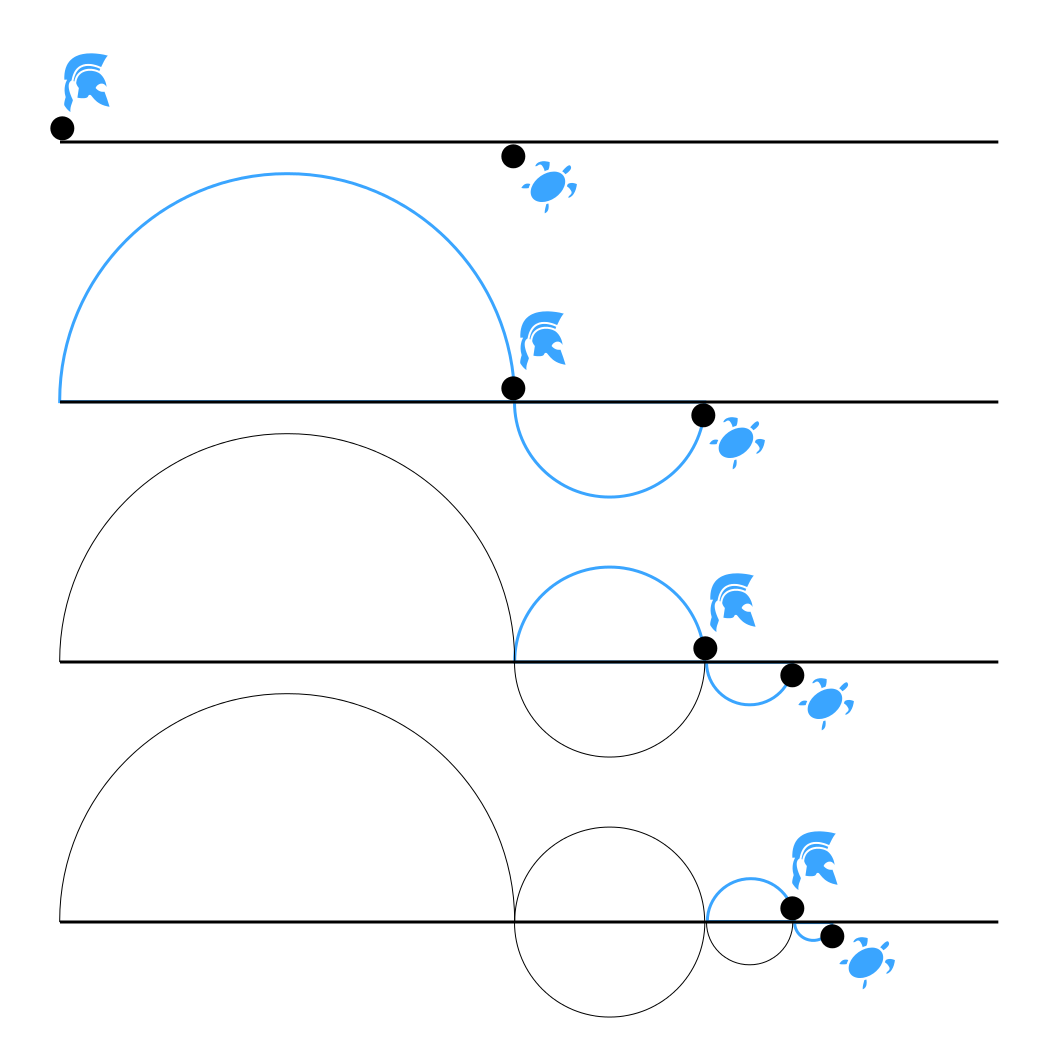
Image of Zeno's paradox of Achilles.

This “mathmagical” tool works by leveraging the power of halving. No matter how many steps you need to get through, by looking at the halfway point and deciding if it is the new top or bottom of the list of commits, you can find any desired commit in a handful of steps. Even if you have 10,000 commits to hunt through, it only takes a maximum of 13 steps to find the first offending commit.

  1.  commit 1 bad <> commit 10,000 good => commit 5,000 is bad
  2.  commit 5,000 bad <> commit 10,000 good => commit 7,500 is good
  3.  commit 5,000 bad <> commit 7,500 good => commit 6,250 is good
  4.  commit 5,000 bad <> commit 6,250 good => commit 5,625 is bad
  5.  commit 5,625 bad <> commit 6,250 good => commit 5,938 is bad
  6.  commit 5,938 bad <> commit 6,250 good => commit 6,094 is good
  7.  commit 5,938 bad <> commit 6,094 good => commit 6,016 is bad
  8.  commit 6,016 bad <> commit 6,094 good => commit 6,055 is good
  9.  commit 6,016 bad <> commit 6,055 good => commit 6,036 is bad
  10.  commit 6036 bad <> commit 6055 good => commit 6046 is bad
  11.  commit 6,046 bad <> commit 6,055 good => commit 6,050 is bad
  12.  commit 6,050 bad <> commit 6,055 good => commit 6,053 is good
  13.  commit 6,053 bad <> commit 6,055 good => commit 6,054 is good

So, the first bad commit of the 10,000 is commit number 6,053. With git bisect, this would take a couple of minutes at maximum. I can’t even imagine how long this would take to investigate crawling through each commit one at a time.

Using Git bisect

Using the git bisect command is very straightforward:

$ git bisect start
$ git bisect bad        # Git assumes you mean HEAD by default
$ git bisect good <ref> # specify a tag or commit ID for <ref>

Git checks out the commit in the middle and waits for you to declare either:

$ git bisect good
## or
$ git bisect bad

Then the bisect tool repeats checking out the commit halfway between good and bad commits until you tell it:

$ git bisect reset

Advanced users can even write scripts that determine good and bad states as well as any remediation actions to take upon finding the specific commit. You might not use the git bisect command every day of your life, but when you need it, it is a lifesaver.
Tags: Git commands

Post navigation

Previous: Arming Open Source Software for the Future
Next: How I configure Vim as my default editor on Linux

Related Stories

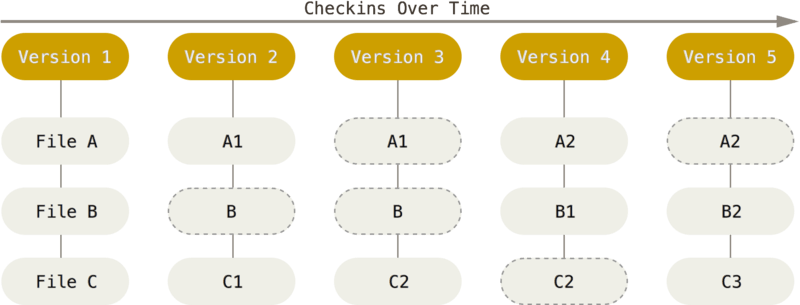
Image of how Git stores files like snapshots.
  • Git
  • Linux

Version Control Is Not Just for Code

AmyJune Hineline December 31, 2025
Tools illustration
  • Git

My favorite Git tools

mcdwayne January 21, 2024
Person drinking a hot drink at the computer
  • Development
  • Git

Learn Git: 3 commands to level up your skill

mcdwayne January 16, 2024

Random Quote

There’s always one more bug.

— Lubarsky’s law of cybernetic entomology

Why I’ve Never Used Windows

On February 12 I gave a presentation at the Triangle Linux Users Group (TriLUG) about why I use Linux and why I’ve never used Windows.

Here’s the link to the video: https://www.youtube.com/live/uCK_haOXPFM 

Why there’s no such thing as AI

Last October at All Things Open (ATO) I was interviewed by Jason Hibbits of We Love Open Source. It’s posted in the article “Why today’s AI isn’t intelligent (yet)“.

Technically We Write — Our Partner Site

Our partner site, Technically We Write, has published a number of articles from several contributors to Both.org. Check them out.

Technically We Write is a community of technical writers, technical editors, copyeditors, web content writers, and all other roles in technical communication.

Subscribe to Both.org

To comment on articles, you must have an account.

Send your desired user ID, first and last name, and an email address for login (this must be the same email address used to register) to subscribe@both.org with “Subscribe” as the subject line.

You’ll receive a confirmation of your subscription with your initial password as soon as we are able to process it.

Administration

  • Log in
  • Entries feed
  • Comments feed
  • WordPress.org

License and AI Statements

Both.org aims to publish everything under a Creative Commons Attribution ShareAlike license. Some items may be published under a different license. You are responsible to verify permissions before reusing content from this website.

The opinions expressed are those of the individual authors, not Both.org.

You may not use this content to train AI.


Advertising Statement

Both.org does not sell advertising on this website.


Advertising may keep most websites running—but at Both.org, we’re committed to keeping our corner of the web ad-free. Both.org does not sell advertising on the website. Nor do we offer sponsored articles at this time. We’ll update this page if our position on sponsorships changes.

We want to be open about how the website is funded. Both.org is supported entirely by David Both and a few other dedicated individuals.


Copyright © All rights reserved. | MoreNews by AF themes.