Skip to content

Both.org

News, Opinion, Tutorials, and Community for Linux Users and SysAdmins

Primary Menu
  • About Us
  • Computers 101
    • Hardware 101
    • Operating Systems 101
  • End of 10 Events
    • Wake Forest, NC, — 2025-09-20
  • Linux
    • Why I use Linux
    • The real reason we use Linux
  • My Linux Books
    • systemd for Linux SysAdmins
    • Using and Administering Linux – Zero to SysAdmin: 2nd Edition
    • The Linux Philosophy for SysAdmins
    • Linux for Small Business Owners
    • Errata
      • Errata for The Linux Philosophy for SysAdmins
      • Errata for Using and Administering Linux — 1st Edition
      • Errata for Using and Administering Linux — 2nd Edition
  • Open Source Resources
    • What is Open Source?
    • What is Linux?
    • What is Open Source Software?
    • The Open Source Way
  • Write for us
    • Submission and Style guide
    • Advertising statement
  • Downloads
  • Home
  • Screencasts for usability testing
  • Open Source 101

Screencasts for usability testing

With screencasts, you can extend your usability testing.
Jim Hall June 26, 2024 3 minutes read
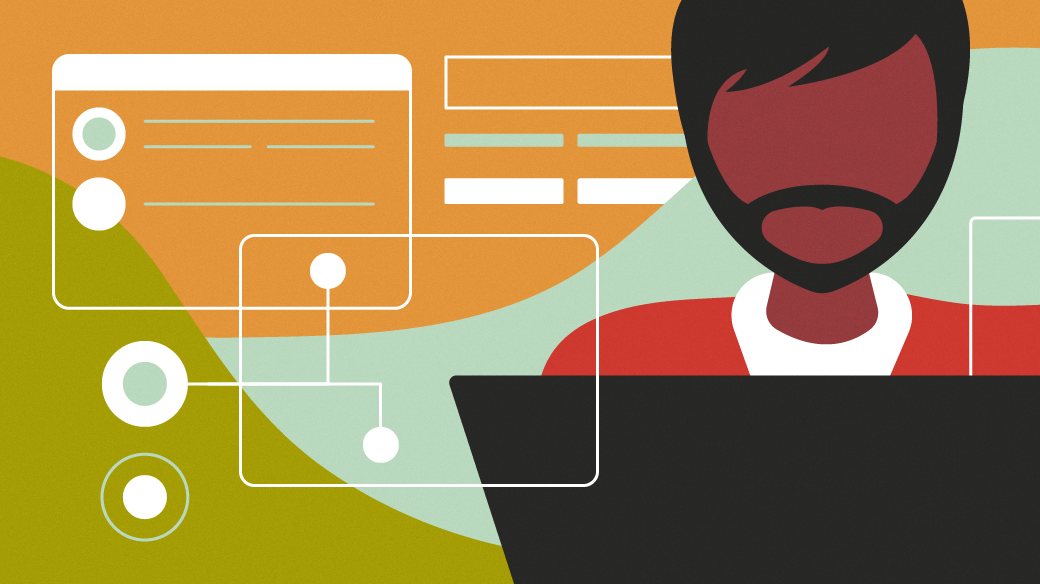
Drawing of a man with beard sittingat a laptop with applications in the background.

There’s nothing like watching a real person use your software to finally understand the usability issues your software might have. It’s hard to get that kind of feedback through surveys or other indirect methods. I find it’s best to moderate a usability test with a few testers who run through a set of scenario tasks. By observing how they attempt to complete the scenario tasks, you can learn a lot about how real people use your software to do real tasks.

Armed with that information, you can tweak the user interface to make it easier to use. Through iteration (design, test, tweak, test, tweak, etc) you can quickly find a design that works well for everyone.

Observing your testers

The simple way to moderate a usability test is to watch what the user is doing, and take notes about what they do. I recommend the “think aloud” protocol, where you ask the tester to talk about what they are doing. If you’re looking for a Print button, just say “I’m looking for a Print button” so I can make note of that. And move your mouse to where you are looking, so I can see what you are doing and where you are looking. In my experience, testers adapt to this fairly quickly.

In addition to taking your own notes, you might try recording the test session. That allows you to go back to the recording later to see exactly what the tester was doing. And you can share the video with other developers in your project, so they can watch the usability test sessions.

Screencasts for usability testing

Screencasts are surprisingly easy to do, at least under Linux. The GNOME desktop has a built-in screencast function, to capture a video of the computer’s screen.

But if you’re like me, you may not have known this feature existed. It’s kind of hard to get to. Press Ctrl+Alt+Shift+R to start recording, then press Ctrl+Alt+Shift+R again to stop recording.

If that’s hard for you to remember, there’s also a GNOME Extension called EasyScreenCast that, as the name implies, makes screencasts really easy. Once you install the extension, you get a little menu that lets you start and stop recording, as well as set options. It’s very straightforward. You can select a sound input, to narrate what you are doing. And you can include webcam video, for a picture-in-picture video.

With screencasts, you can extend your usability testing. At the beginning of your session, before the tester begins the first task, start recording a screencast. Capture the audio from the laptop’s microphone, too.

Sharing the lessons

If you ask your tester to follow the “think aloud” protocol, the screencast will show you the mouse cursor, indicating where the tester is looking, and it will capture the audio, allowing you to hear what the tester was thinking. That provides invaluable evidence for your usability test.


Tags: open source usability

Post navigation

Previous: Intro to the Linux chown command
Next: Intro to the Linux chgrp and newgrp commands

Related Stories

Resources_MainImage_03
  • Linux 101
  • Open Source 101

Make your first contribution to open source

Jim Hall March 2, 2026
automation-gears-person
  • Open Source 101

How many usability testers do you need?

Jim Hall June 28, 2024
testing-linux
  • Open Source 101

Usability testing in open source software

Jim Hall June 24, 2024

System upgrades this Sunday, May 3

Tools illustrationFedora 44 was released this week and I’ve upgraded all my systems except for the two that directly affect Both.org. I’ll be upgrading the hosts for my server and firewall to Fedora 44 this Sunday afternoon, May 3.

Both.org will be down for most of the afternoon for these upgrades.

Thanks for your patience.

Random Quote

Any given program costs more and takes longer.

— Laws of Computer Programming

Why I’ve Never Used Windows

On February 12 I gave a presentation at the Triangle Linux Users Group (TriLUG) about why I use Linux and why I’ve never used Windows.

Here’s the link to the video: https://www.youtube.com/live/uCK_haOXPFM 

Why there’s no such thing as AI

Last October at All Things Open (ATO) I was interviewed by Jason Hibbits of We Love Open Source. It’s posted in the article “Why today’s AI isn’t intelligent (yet)“.

Technically We Write — Our Partner Site

Our partner site, Technically We Write, has published a number of articles from several contributors to Both.org. Check them out.

Technically We Write is a community of technical writers, technical editors, copyeditors, web content writers, and all other roles in technical communication.

Subscribe to Both.org

To comment on articles, you must have an account.

Send your desired user ID, first and last name, and an email address for login (this must be the same email address used to register) to subscribe@both.org with “Subscribe” as the subject line.

You’ll receive a confirmation of your subscription with your initial password as soon as we are able to process it.

Administration

  • Log in
  • Entries feed
  • Comments feed
  • WordPress.org

License and AI Statements

Both.org aims to publish everything under a Creative Commons Attribution ShareAlike license. Some items may be published under a different license. You are responsible to verify permissions before reusing content from this website.

The opinions expressed are those of the individual authors, not Both.org.

You may not use this content to train AI.


Advertising Statement

Both.org does not sell advertising on this website.


Advertising may keep most websites running—but at Both.org, we’re committed to keeping our corner of the web ad-free. Both.org does not sell advertising on the website. Nor do we offer sponsored articles at this time. We’ll update this page if our position on sponsorships changes.

We want to be open about how the website is funded. Both.org is supported entirely by David Both and a few other dedicated individuals.


Copyright © All rights reserved. | MoreNews by AF themes.