A New Way to Watch Your Linux System Work
 Don Watkins
Last Updated on December 19, 2025 by David Both
1. Classic Utilities: Top and Htop
One of the earliest lessons in managing a Linux machine is learning the top command. This lightweight, text‑based utility comes preinstalled on all Linux distributions and provides real‑time information about running services, CPU usage, and memory consumption. It also allows administrators to selectively terminate misbehaving processes, making it an essential tool for quick troubleshooting.
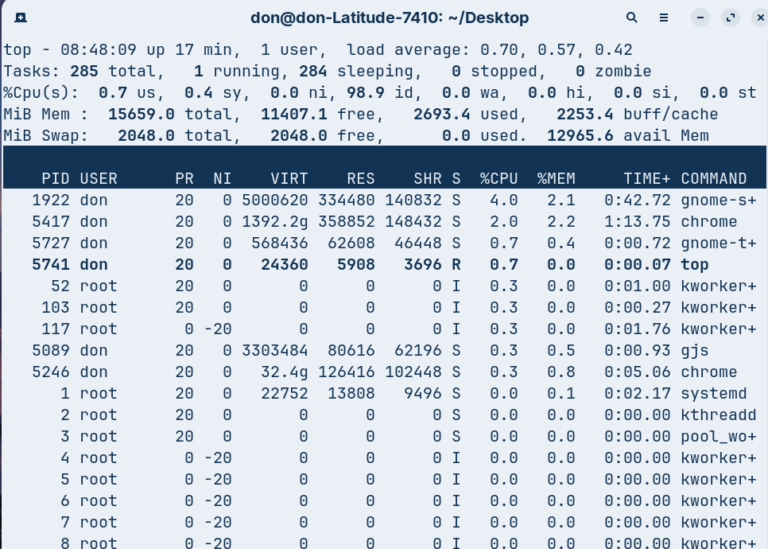
For users who want a more interactive experience, htop offers a colorful and user‑friendly interface. Unlike top, htop is not preinstalled and must be added manually with commands such as:
$ sudo dnf install htop
or
$ sudo apt install htop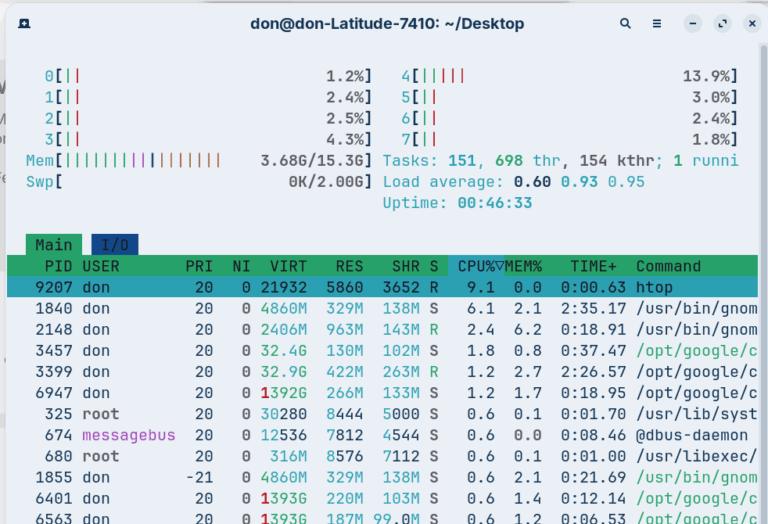
2. Graphical Monitoring: Gnome System Monitor
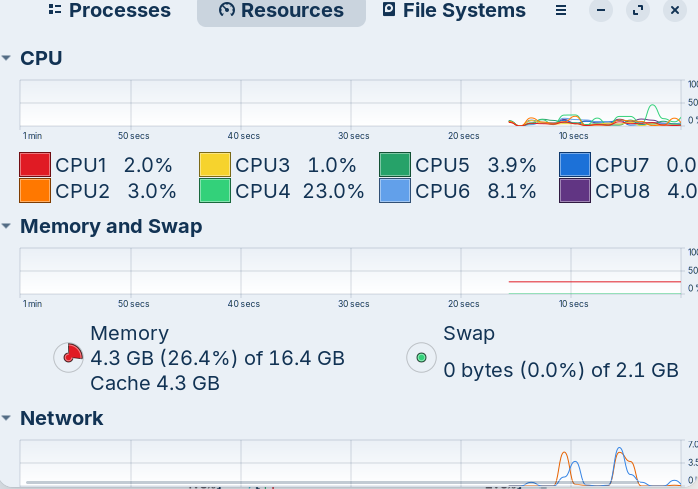
Beyond text‑based tools, Linux also provides graphical options, such as the GNOME System Monitor. This utility comes preinstalled with the Gnome desktop environment and offers a visual representation of system performance. Users can view resource graphs for CPU, memory, disk, and network utilization, and manage processes with simple mouse clicks. While customization options are limited compared to command‑line tools, its ease of use makes it accessible for beginners who prefer a graphical dashboard.
3. Modern Dashboards: Mission Center
A newer addition to the Linux ecosystem is Mission Center, a comprehensive performance dashboard. Built with GTK4/Libadwaita and written in Rust, it delivers speed, reliability, and hardware‑accelerated graphs for smooth performance. Mission Center tracks CPU, memory, disk, network, GPU, and even fan activity, while breaking down resource usage by individual apps and processes. For quick checks, it also includes a compact summary mode.
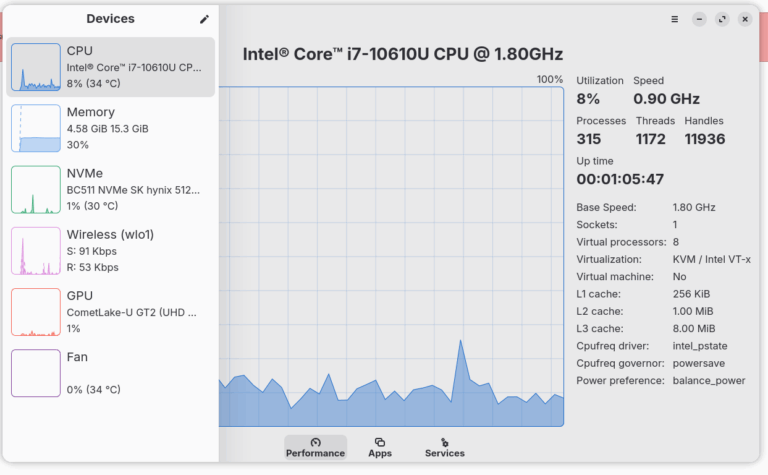
Screen picture by Don Watkins CC-by-SA 4.0
Mission Center is open source under the GPL v3 license, with its source code freely available. Installation is straightforward via Flatpak, Snap and it is also distributed as an AppImage for both x86_64 and Arm64 architectures. This makes it a versatile and modern choice for Linux users seeking a full‑system monitoring solution.


 David Both
 Jim Hall