Don Watkins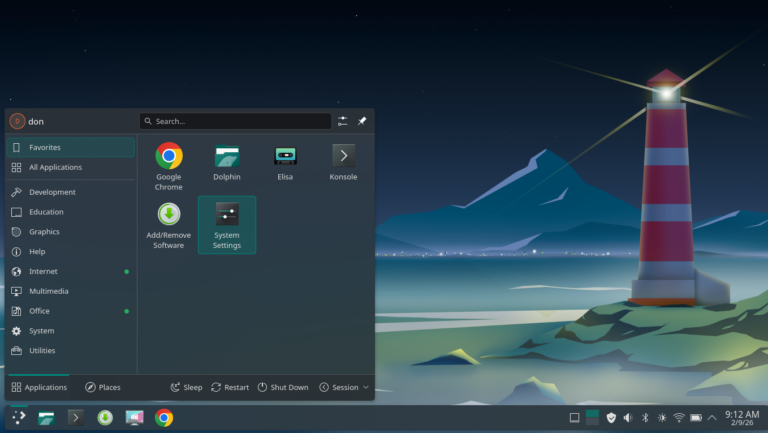
Screen Picture by Don Watkins CC-by-SA 4.0
Linux adventures come in many distributions, and Manjaro is no exception. I decided to download the KDE Plasma version of Manjaro and install it on my Latitude 7410 laptop. Last year, I installed the Fedora version of KDE Plasma and really enjoyed the experience. I got used to using KDE tools like Spectacle, which are invaluable for screenshots when writing articles. I liked the desktop interface, which is similar to Cinnamon in many respects but offers a more granular approach to settings and is more intuitive.
My familiarity with Plasma encouraged me to try out the Plasma Manjaro spin. I downloaded it on my Linux Mint Cinnamon desktop and created a USB drive for the installation on my laptop. Once that was complete, I was ready to begin the installation. I inserted the USB drive into the Latitude laptop and pressed F12 during startup to select the USB boot option. Soon, I was greeted with the live Manjaro KDE Plasma desktop.
I selected the installation option, and soon I was presented with several choices, including the file system type to use. Unlike Fedora and some other distributions, Manjaro allows you to choose between Btrfs (the default), EXT4, XFS, or F2FS. I opted for EXT4 because I am familiar with it. Many Linux users appreciate having this choice. Linux has always been about choice, and Manjaro lets you build your system your way. This philosophy underpins the distribution, which is based on Arch Linux. While Arch is suited for a do-it-yourself approach, Manjaro makes those choices more accessible to everyone. The installation completed quickly, and soon I had a beautiful Plasma desktop. Manjaro offers a choice of office productivity software to install. I chose LibreOffice.
Manjaro’s Pamac software center offered me many options to customize my workflow. I started by downloading and installing the Chrome browser, which is still my favorite. Manjaro KDE Plasma comes with Firefox as its default web browser. I quickly opened Pamac and enabled Flatpaks, a simple process that takes only a couple of mouse clicks. After that, I swiftly installed Joplin and Visual Studio Code (VS Code). If you’re an experienced Plasma user, you will feel right at home in this implementation.
Manjaro is a rolling release distribution, which offers a new experience for me. It is a suitable choice for both beginners and experts. Manjaro aims to bridge the gap between the power of Arch Linux and the needs of everyday users. Its goal is to make the strengths of Arch—such as rolling releases, the Arch User Repository (AUR), and the pacman package manager—accessible without requiring users to build their systems from scratch. Manjaro achieves this with the Plasma desktop environment, one of the most customizable Linux desktop environments. Despite its features, it remains surprisingly lightweight, using only slightly more memory than XFCE. Additionally, it comes with many built-in tools, such as Dolphin File Manager, Spectacle, and KRunner. Overall, it runs smoothly on my four-year-old Latitude 7410.
My time with Manjaro KDE Plasma has reminded me why exploring new Linux distributions is so rewarding. Manjaro takes the power and flexibility of Arch and wraps it in an experience that feels welcoming, polished, and thoughtfully designed. The Plasma desktop only enhances that impression—its balance of customization, performance, and intuitive design makes it a natural fit for users who want a system that adapts to them rather than the other way around.
Running on my Latitude 7410, Manjaro Plasma has been fast, stable, and enjoyable to use. The combination of Pamac, Flatpak support, and the AUR opens the door to an enormous software ecosystem, while the rolling‑release model ensures the system stays fresh without periodic reinstallations. For someone like me—comfortable with Linux but still curious about what lies beyond the familiar Debian‑ and Fedora‑based worlds—Manjaro offers a compelling middle path.
Whether you’re a seasoned Plasma user or simply looking for a distribution that blends Arch’s strengths with a more approachable experience, Manjaro KDE Plasma is well worth a look. It’s a reminder that in the Linux world, there’s always something new to discover—and sometimes, the best surprises come from stepping just a little outside your comfort zone.

 Jim Hall