Don Watkins
I decided it was time to explore a distribution I had no experience with, so I downloaded Manjaro Cinnamon. I regularly listen to podcasts and read blogs where people discuss using Arch Linux. Since I have very little experience with Arch, my curiosity was piqued. Throughout my Linux journey, I have primarily used Red Hat, Fedora, Ubuntu, Pop!_OS, and most recently, Linux Mint. I’m familiar with package management systems like apt and dnf, but I have no experience with the AUR or pacman.
A couple of months ago, I downloaded and briefly installed Manjaro’s KDE Plasma spin. Recently, I discovered that they also have a Cinnamon spin, so I decided to download that version instead. I created a bootable USB drive and inserted it into the USB port of my Dell Latitude 7410. I started the machine and pressed F12 to access the boot menu, then selected the option to boot from USB. In no time, I had Manjaro Cinnamon running on my computer. The Cinnamon desktop was very familiar since my daily driver is Linux Mint Cinnamon 22.3.
Manjaro has great documentation on their wiki. I was eager to begin the install. One of the first screens in the installation lets users choose between FOSS and proprietary drivers. I took the proprietary option. The installation proceeded very quickly, in part due to the i7 CPU and 16 GB of RAM on my system.
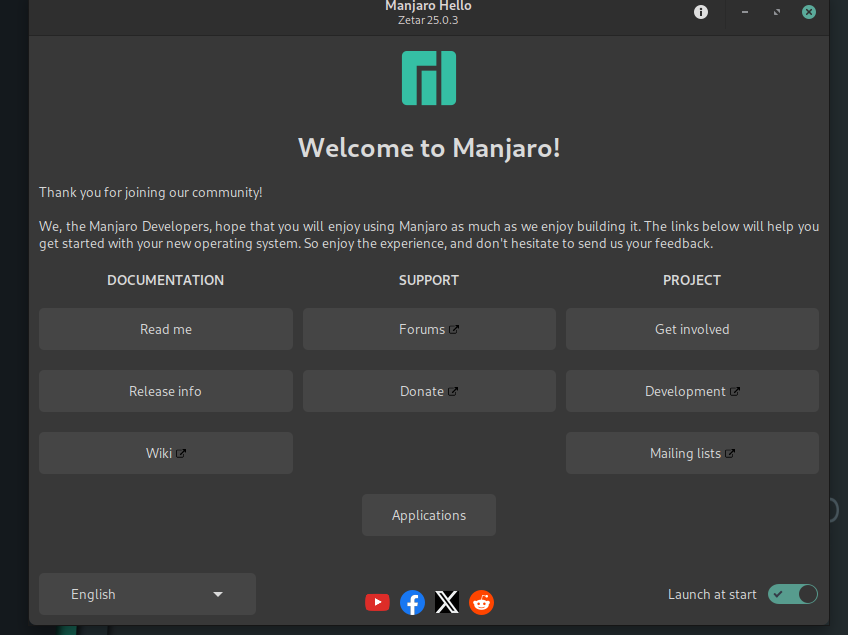
The Welcome to Manjaro splash screen that loads at every boot as links to documentation with a detailed Read me, release info, and their wiki. The project has forums for support. They invite you to get involved and contribute to the project. They also have a mailing list that helps you stay up to date with what’s going on with the project.
The default browser on the Cinnamon edition is Vivaldi but it’s easy to install Firefox and/or Chrome and other browsers too. Vivaldi is built on Chromium but it is proprietary freeware. It’s easy to add other software to your computer system too and that includes Flatpak and packages from the Arch repositories with AUR.
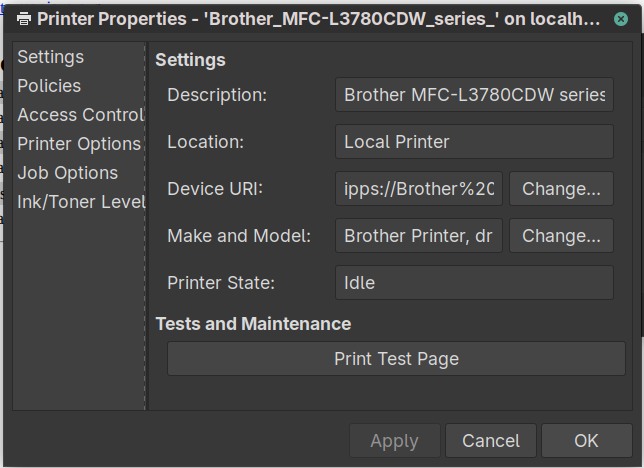
I was able to set up printing using the CUPS web interface and was able to find the drivers for my printer.
Exploring Manjaro Cinnamon turned out to be a refreshing detour in my Linux journey. Even though I came in with almost no Arch experience, the distribution never made me feel out of place. The installer was smooth, the documentation was thorough, and the Cinnamon desktop provided a familiar foundation while still giving me access to the broader Arch ecosystem. Between the AUR, Manjaro’s curated tools, and the project’s welcoming community, it’s easy to see why so many users speak highly of it.
I still have plenty to learn—especially when it comes to pacman and the Arch way of doing things—but this first hands‑on experience has been encouraging. Manjaro Cinnamon strikes a thoughtful balance between approachability and power, making it a compelling option for anyone curious about stepping beyond the traditional Debian‑ or Red Hat‑based distros. For me, it’s been a reminder that there’s always something new to discover in the Linux world, and sometimes all it takes is a little curiosity and a bootable USB drive to open the door.

 Jim Hall