How FreeDOS got started
 Jim Hall
Last Updated on August 2, 2026 by Jim Hall
I grew up using computers. Starting from the late 1970s, I tapped away on an Apple II computer in the school library, teaching myself about BASIC programming. My parents bought a similar Apple computer for my brother and I to use at home, and we pored through BASIC programming books to learn new ways to write our own programs.
In the early 1980s, we replaced the Apple with an IBM PC. The BASIC environment on DOS was slightly different from the Apple, but I figured out the differences easily enough. When Microsoft released MS-DOS 5 in 1991, I quickly switched to QBASIC, which was a lot easier to work with. It also felt more “modern,” because it didn’t require line numbers; you could finally create a structured program using loops and conditions instead of a series of GOTO statements.
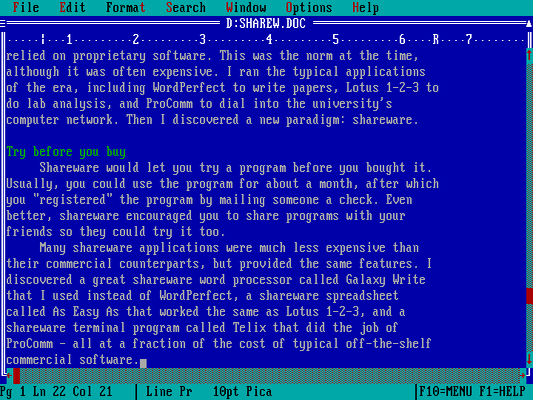
Around the same time, I discovered a new kind of software model: “shareware.” With shareware, you could try a program for free, usually for a limited time. If you liked it, you sent the author a check to register the program; as a bonus, most vendors sent you a manual and free upgrade in return. The shareware model worked very well for me when I entered university. I replaced WordPerfect with a shareware word processor called Galaxy, and switched to a shareware spreadsheet called As-Easy-As.
As an undergraduate physics student, I also explored other ways to write programs. In the physics program, we all learned FORTRAN programming on the campus Vax minicomputer. At home, my brother helped me to learn C programming, which I found much more interesting. By writing my own tools and utilities in C, I could enhance the DOS command line and make DOS more useful to me.
A free Unix
I considered myself a DOS “power user” at the time, and I used it all the time. With my own tools, DOS had a rich command line, which I liked. But I knew DOS was a bit limited by the segmented memory model.
But I hated Windows. The university’s PC lab had Windows machines, running Windows 3.1. The interface was okay, but I thought it was slow, even on the rather beefy lab computers. And worst of all, Windows was buggy. If one app misbehaved, it could take down all of Windows, and my work with it. Windows was not for me.
Things changed when I got an account in the campus Unix lab. Unix was great! It had a command line like DOS, but it was much more powerful than anything I’d used until then. While it didn’t have apps like DOS, I learned how to leverage the command line tools to create programs in C, and even write class papers using nroff and LaTeX.
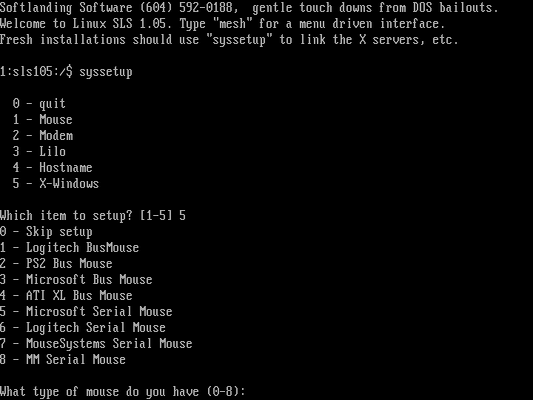
I wanted to run Unix at home, but commercial Unix-on-PC systems were too expensive. That’s when I heard about a Unix system that I could run on my computer at home. This “Linux” system seemed just as powerful as the computers in the campus computer lab, but I could run it on my own, and it included source code. I found someone who shared a copy of Softlanding Linux System (SLS) with me, and I spent an afternoon installing it on my computer, dual-booted with DOS.
A free DOS
While Linux was great, it’s important to realize that Linux didn’t have any applications per se in 1993. As a result, I switched between DOS and Linux fairly frequently: When I needed to write a data analysis program in FORTRAN or a lab report in LaTeX, I ran Linux. To write a class paper or crunch numbers in a spreadsheet, I booted back to DOS. To me, it was a great mix. I felt very comfortable in both, but really loved using DOS.
In early 1994, I started seeing a lot of interviews with Microsoft executives in tech magazines saying the next version of Windows would totally do away with MS-DOS. I looked at Windows 3.1 and said, “If Windows 3.2 or Windows 4.0 will be anything like Windows 3.1, I want nothing to do with it.”
Having experience with Linux, I thought, “If developers can come together over the internet to write a complete Unix operating system, surely we can do the same thing with DOS.” After all, DOS was a fairly straightforward operating system compared to Unix. DOS ran one task at a time (aka single-tasking) and had a simpler memory model. I’d already written a number of utilities that expanded the MS-DOS command line, so I had a head start.
I asked around the comp.os.msdos.apps discussion group on Usenet. Although others were interested in a free DOS, no one wanted to start such a project. So, I volunteered to do it.
On June 29, 1994, I posted this announcement to comp.os.msdos.apps:
ANNOUNCEMENT OF PD-DOS PROJECT:
A few months ago, I posted articles relating to starting a public domain version of DOS. The general support for this at the time was strong, and many people agreed with the statement, “start writing!” So, I have…
Announcing the first effort to produce a PD-DOS. I have written up a “manifest” describing the goals of such a project and an outline of the work, as well as a “task list” that shows exactly what needs to be written. I’ll post those here, and let discussion follow.
I should add that when I started the project, I didn’t fully understand the difference between “free software” and “public domain.” I assumed they were the same. And certainly, many of the free tools we found on FTP sites were released into the public domain. I adopted the name PD-DOS for Public Domain DOS. It took only a few weeks before I realized we wanted the protection of the GNU General Public License, which would make our DOS project a “free software” project. By late July, we changed the name to Free-DOS. Later, we dropped the hyphen to become FreeDOS.
Developers contacted me almost immediately. We had all written our own MS-DOS extensions, power tools that expanded what you could do on the MS-DOS command line. We pooled our utilities and looked on public FTP sites for public domain source code to other programs that replicated the features of MS-DOS.
How FreeDOS is used today
Over the years, developers have shared with me how they use FreeDOS to run embedded systems. One awesome example was a developer who used FreeDOS to power a pinball machine. FreeDOS ran an application that controlled the board, tallied the score, and updated the back display. I don’t know exactly how it was built, but one way such a system could work is to have every bumper register a “key” on a keyboard bus and the application simply read from that input. I thought it was cool.
You can find other examples of people running FreeDOS. In 2017, trainspotters found a railway message system running FreeDOS. Perhaps my favorite is from a few years ago, when someone booted an original IBM PC 5150 using FreeDOS from a vinyl record.
To share my own example: I used to serve as campus CIO of a small university, and once a faculty member brought in some floppy disks with old research data on them. The data wasn’t stored in plain text files, rather as DOS application data. None of our modern systems would read the old data files, so we booted a spare PC with FreeDOS, downloaded a shareware DOS program that could read the application data, and exported the data to plain text.
These days, we find most people use FreeDOS to do a few things:
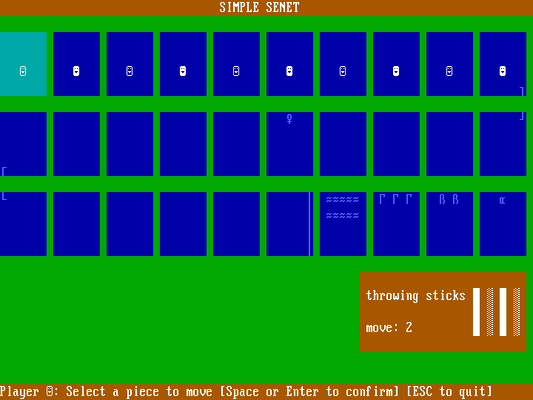
To play classic DOS games: You can play your favorite DOS games on FreeDOS. And there are a lot of great classic games to play: Wolfenstein 3D, Doom, Commander Keen, Rise of the Triad, Jill of the Jungle, Duke Nukem, and many others. We also include a bunch of cool open source DOS games in the FreeDOS distribution, such as Senet, Wings, and Block Drop.
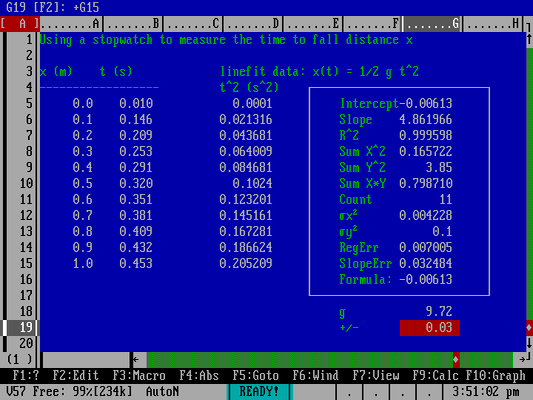
To run legacy software: Need to recover data from an old business program? Or maybe you need to run a report from your old finance system? Just install your legacy software under FreeDOS, and you’ll be good to go. My favorite application is As-Easy-As, which I still run today.
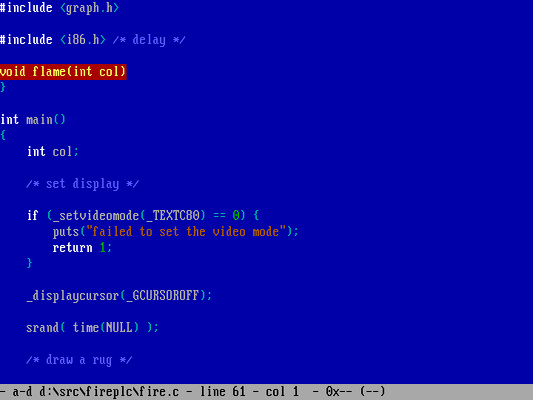
To write new DOS programs: What’s old is new again, and retrocomputing is a thing. We include lots of open source compilers, assemblers, debuggers, and editors so you can create your own DOS programs. We also share our source code under an open source license, so you can modify FreeDOS itself.
Today, FreeDOS celebrates its 32nd anniversary, from 1994 to 2026. Download the FreeDOS 1.4 distribution from the FreeDOS website and try it out. If you’d like to help test the latest versions of everything, download the monthly test release (currently T2606, which is the test release from June 2026) which has a more recent version of the kernel and other tools.