Jim Hall
For years, the FreeDOS kernel couldn’t support Windows 3.1 or 3.11—at least, in 386 Enhanced mode. You could get Windows 3.x to run in Standard mode on FreeDOS, but it turns out that Windows 3.x 386 Enhanced mode relied on a lot of MS-DOS internals, and would break if things weren’t just so. Figuring out what Windows expected and making the changes to support Windows was a really tough task.
But thanks to a lot of hard work, several FreeDOS kernel developers (including Andrew Bird, Bernd Böckmann, Jeremy Davis, C. Masloch, Tee-Kiah Chia, Sava, Stas Sergeev, Jiri Malak, Tom Ehlert, and others) collected changes and contributions to add the necessary Windows support in the FreeDOS kernel. As of kernel version 2044 (earlier this year) you could finally run Windows 3.x in 386 Enhanced mode with the FreeDOS kernel.
And after even more hard work, the kernel developers (including Andrew Bird and Jeremy Davis) have released kernel version 2046 (in late June) with additional Windows 3.x compatibility. To recognize this achievement, I thought it would be interesting to explore running Windows 3.11 on FreeDOS.
Installing Windows 3.1
You will need:
- the latest FreeDOS kernel
- an installation copy of Windows 3.11
Starting the installation
We release a test version of the FreeDOS distribution every month, with all of the latest updates and fixes, so anyone can test everything at once. The July 2026 (“T2607”) test release includes FreeDOS kernel 2046. That means using the T2607 test release is the easiest way to test Windows 3.11 with the latest FreeDOS kernel.
Boot the test release, either in a virtual machine or on real hardware. If you’re installing in a virtual machine, make sure the Windows 3.1 “disk 1” installation floppy is loaded in the machine.
I started with my QEMU virtual machine running the FreeDOS T2607 test release. When I booted the system to install Windows, I also set up the A: floppy drive to use “disk 1” from the Windows 3.11 installation. Things will go a lot smoother later on if you start QEMU from the directory that contains the Windows install floppies. I saved my floppy disk images in a subdirectory from where I keep my FreeDOS virtual hard disk image, which meant I had to reference the hard disk image from the .. directory when I started QEMU:
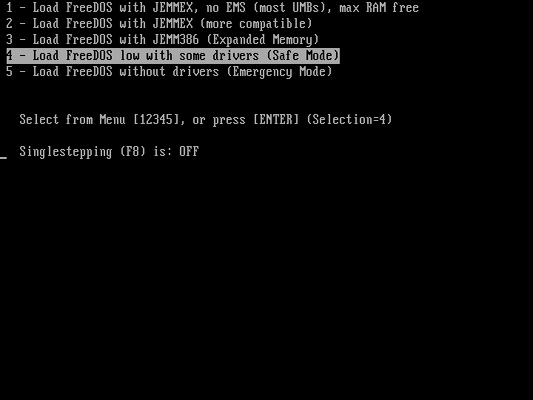
$ qemu-system-i386 -hda ../freedos.qcow2 -fda DISK1.IMGWhen you see the FreeDOS boot menu, select the menu option to “Load FreeDOS low with some drivers (Safe Mode).” This only loads the HIMEMX driver to support extended memory and skips loading JEMMEX, which can cause problems with Windows 3.11.
When FreeDOS boots to a DOS prompt, change to the A: floppy drive and start the Microsoft Windows 3.11 Setup program:
C:\> A:
A:\> SETUP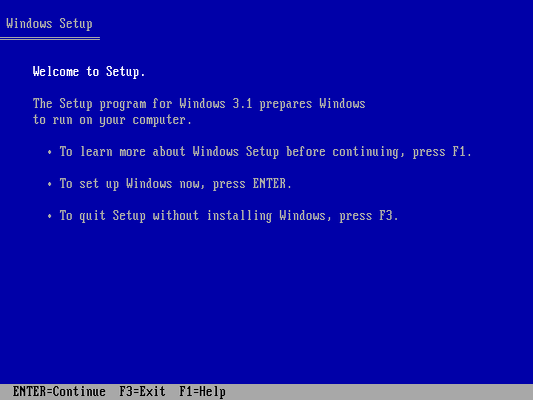
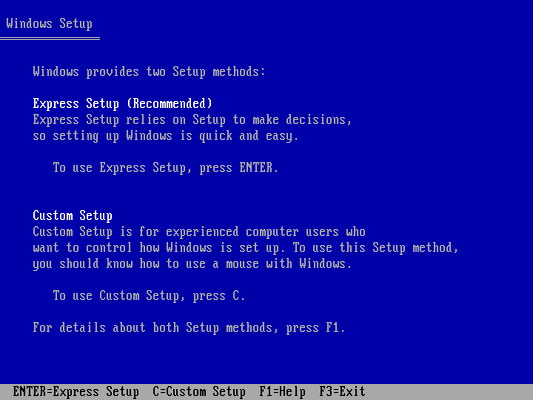
The Setup program walks through all of the steps to install and configure Windows 3.11. I selected the “Express Setup” which used the defaults.
During the installation, the Setup program will ask you to insert the next floppy in the series. If you are installing in QEMU, you will need to use the monitor to change the floppy0 device to use the next floppy image. Do this with the change floppy0 command, and specify the filename for the next floppy disk. For example, here’s a screenshot showing DIR A: for the first floppy install disk, then typing change floppy0 DISK2.IMG in the monitor. When I run DIR A: after that, it shows the contents of the second floppy install disk.
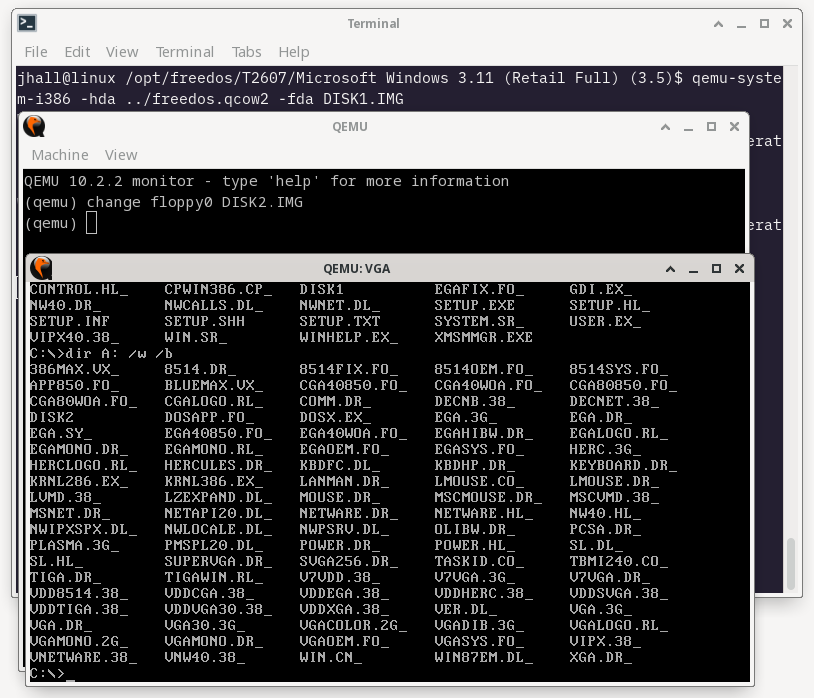
That’s why it’s easier if you started QEMU from the directory with the Windows 3.11 installation floppy images. Otherwise, you have to add a path to the floppy images when you use the change floppy0 command.
After installing from the first two floppies, the Windows Setup program will switch into graphics mode to complete the install.
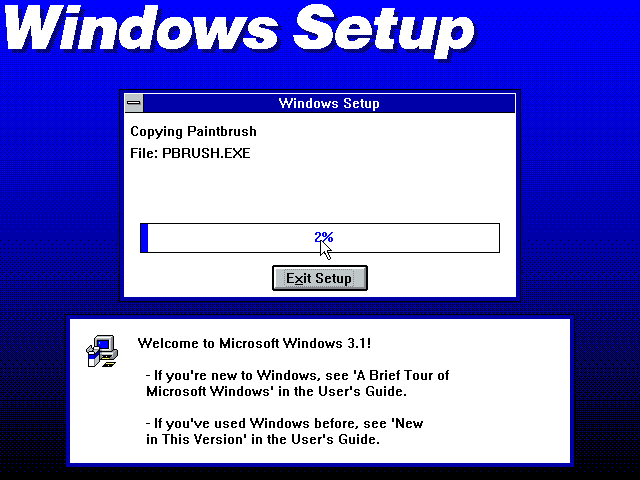
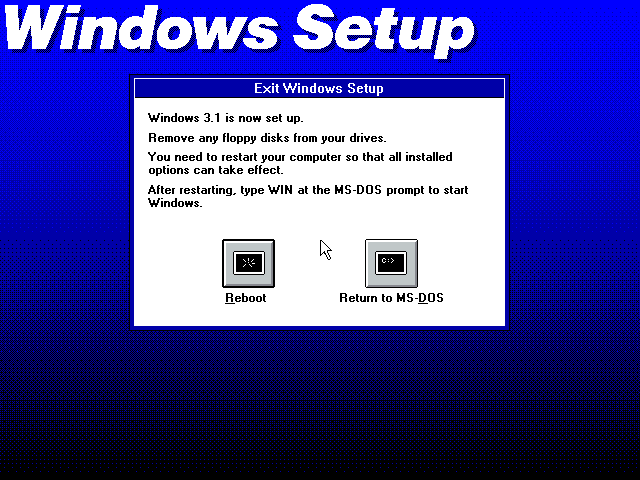
When the Windows Setup program is finished, choose the option to “Return to MS-DOS” so you can do a manual step next.
Editing the configuration
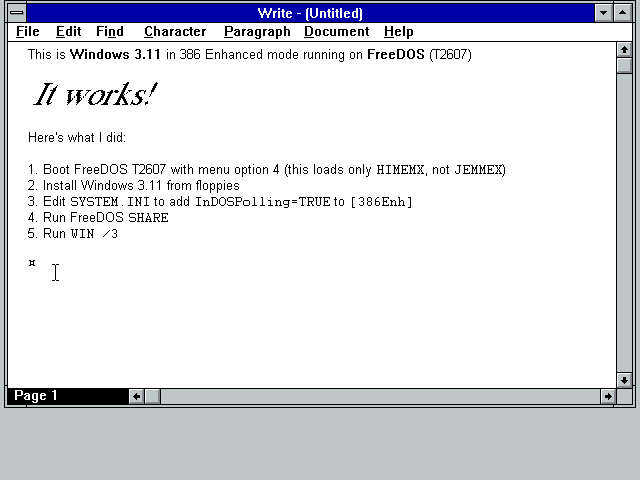
Before starting Windows for the first time, you need to make a manual edit in the Windows system initialization file. Use the FreeDOS Edit program to edit the C:\WINDOWS\SYSTEM.INI file, and add the line InDOSPolling=TRUE under the [386Enh] section.
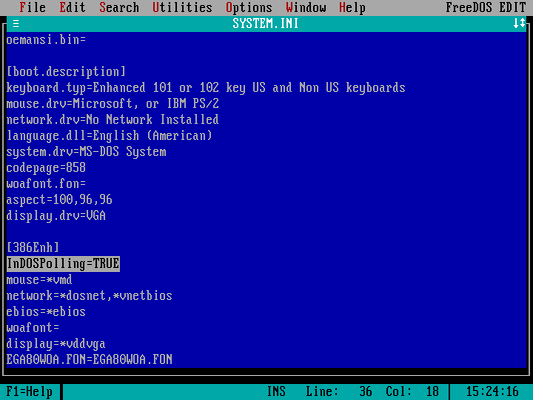
The InDOSPolling=TRUE setting helps Windows 3.11 better detect changes in the DOS state. By enabling this option, Windows can manage memory and other resources more effectively in a protected mode environment.
Running Windows 3.11
After making the configuration change, you only need to start the FreeDOS SHARE program. Windows 3.11 will not run on FreeDOS without SHARE services loaded.
C:\WINDOWS\> SHARE
SHARE installed
That’s all you need to run Windows 3.11 on FreeDOS. Start Windows in 386 Enhanced mode with the WIN /3 command from the C:\WINDOWS directory, and you’ll be greeted by the Windows Program Manager:
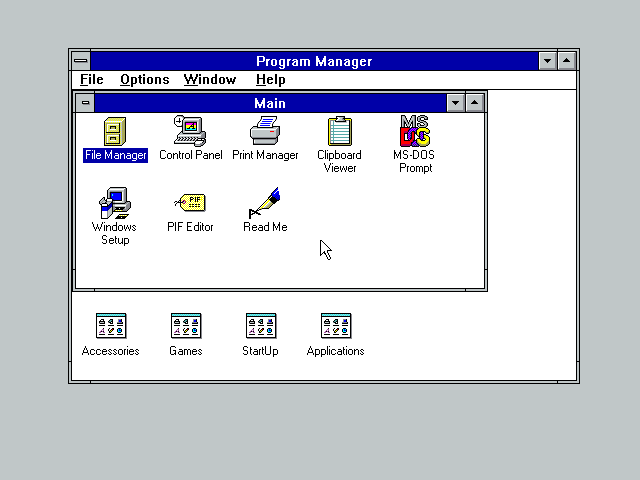
Windows 3.11 on FreeDOS
It was quite an odd experience to run Windows on FreeDOS. You might know that I started the FreeDOS Project because I didn’t like Windows 3.x.
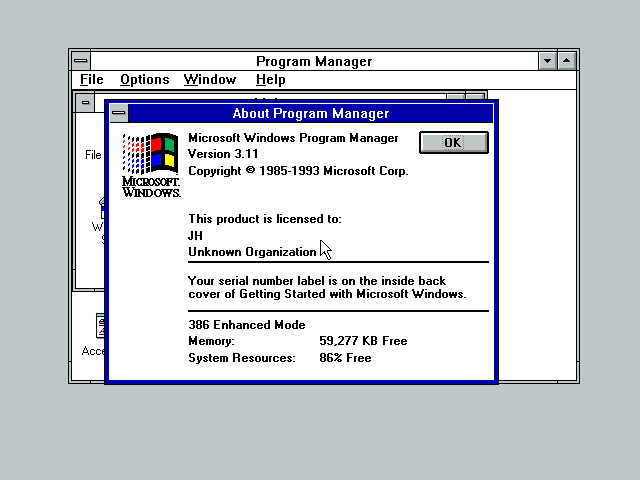
But Windows 3.11 runs great on FreeDOS! I started by launching the “About Program Manager” window, so I could verify that Windows 3.11 was indeed running in 386 Enhanced mode—and it is!
I didn’t have any Windows apps to install, so I experimented with several of the standard Windows accessories and games. As expected, all the standard desktop accessories like the clock and calculator worked fine.
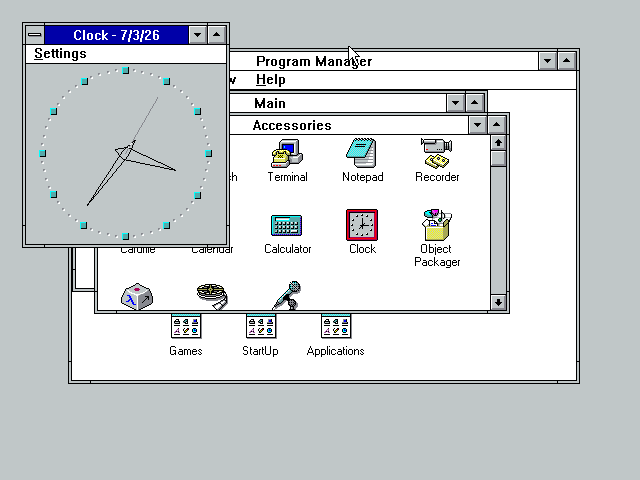
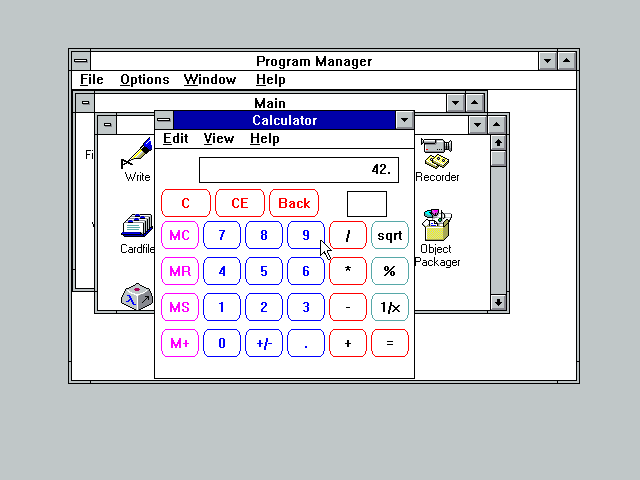
I was also able to use Notepad and Write to start new documents. However, this is where I encountered a problem: I could open existing files, but I could not save files. Every time I tried to save a document or file to my C: drive, Windows complained that it thought the drive was on a network and I couldn’t write to it. I tried with multiple files and had the same error every time.
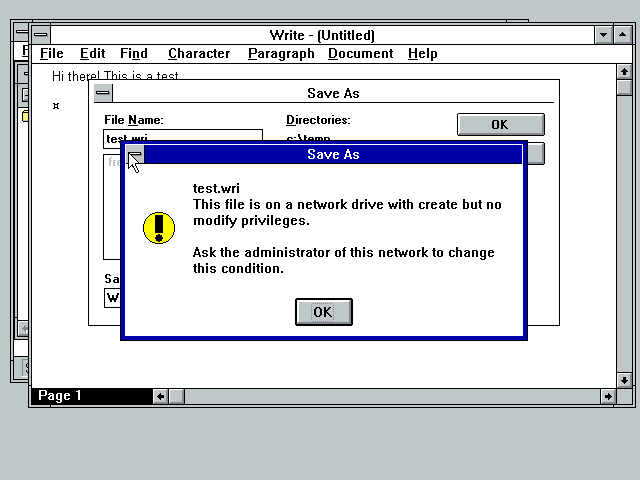
After doing some other testing, I think this error is due to a bug in the FreeDOS SHARE command. This will need additional bug fixes. In the meantime, be aware that you can run Windows but cannot save files.
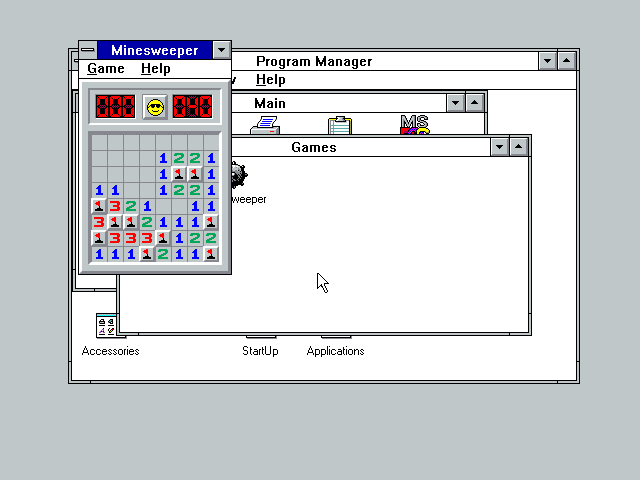
Minesweeper was a great blast from the past, and I cleared the “easy” level in no time.
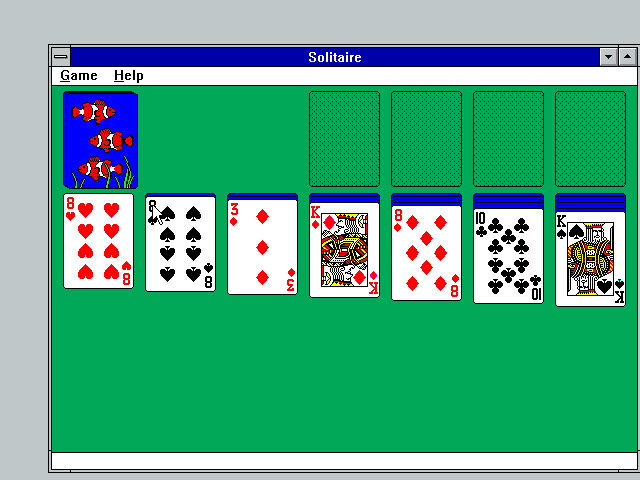
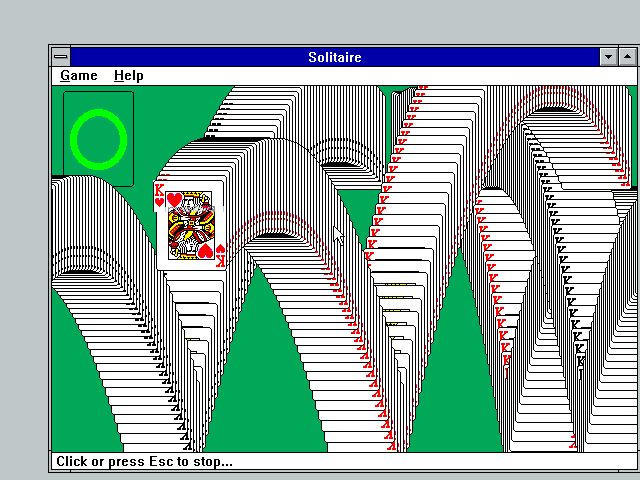
I lucked out with Solitaire and won my first game. But I’ll admit that I set the options to draw one card at a time, which made the game a bit easier to play.
It’s a testament to the dedication of these developers that FreeDOS can run classic Windows 3.11. Thanks to everyone who is contributing to—or has contributed to—the FreeDOS kernel. You are part of something special.