Don Watkins
One of my friends lives at a retreat center with a large solar array that powers a large house, chapel, and five separate smaller cottages, all with full electric service. The solar array connects to power inverters, then to a power panel, which feeds all the separate buildings on campus. No one would ever confuse me with an electrician or anyone who knows much other than how to flip a switch. My friend wanted to know whether a computer program could monitor the solar array, the storage batteries, and all the other components integral to the system’s operation. An internet search led me to consider Home Assistant, an open-source application I’d heard of but had no experience with.
I quickly skimmed the documentation on the project website and discovered that I could run Home Assistant as a container on my Linux desktop using Podman. I used Google Gemini to help with the initial configuration. First, create a directory for Home Assistant. Copy the code supplied below to accomplish that.
mkdir -p ~/homeassistant/configI am using Podman for container management. The following code came from Google Gemini, and it worked very well:
podman run -d \
  --name homeassistant \
  --network host \
  --privileged \
  -v ~/homeassistant/config:/config:Z \
  -v /run/dbus:/run/dbus:ro \
  -e TZ=America/New_York \
  --restart unless-stopped \
  ghcr.io/home-assistant/home-assistant:stable
The instructions I followed suggested waiting a short period of time and then pointing a web browser at http://localhost:8123 You can add your own IP address if you prefer.
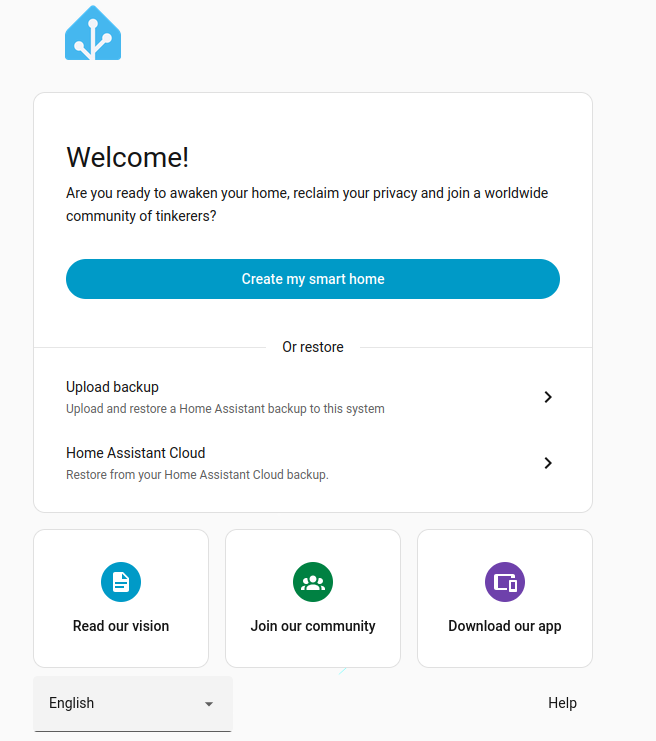
Next, I needed to create a user. I clicked on the “Create my smart home” button and was presented with the following display:
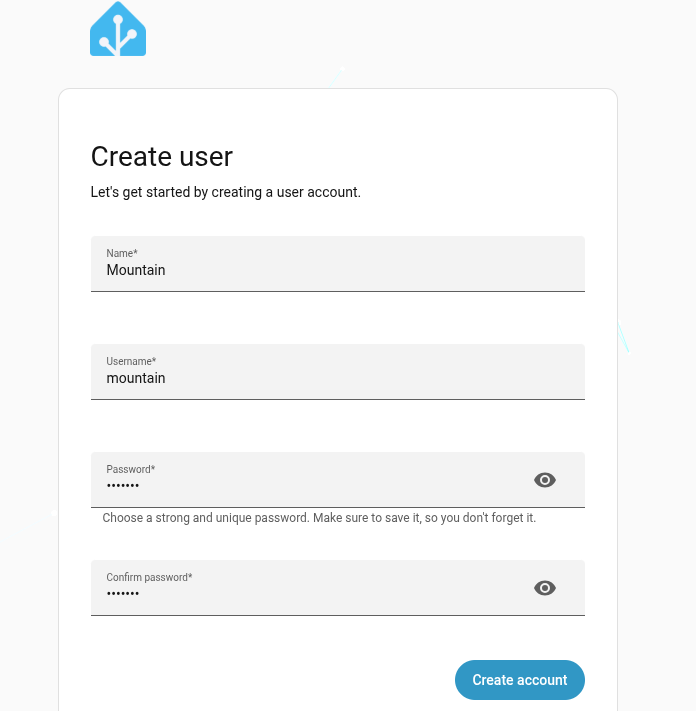
After creating the user account, the next screen asks you to geolocate your device. I entered the retreat center’s address. You can choose how much data you want to share with Home Assistant. The data is anonymized to protect you.
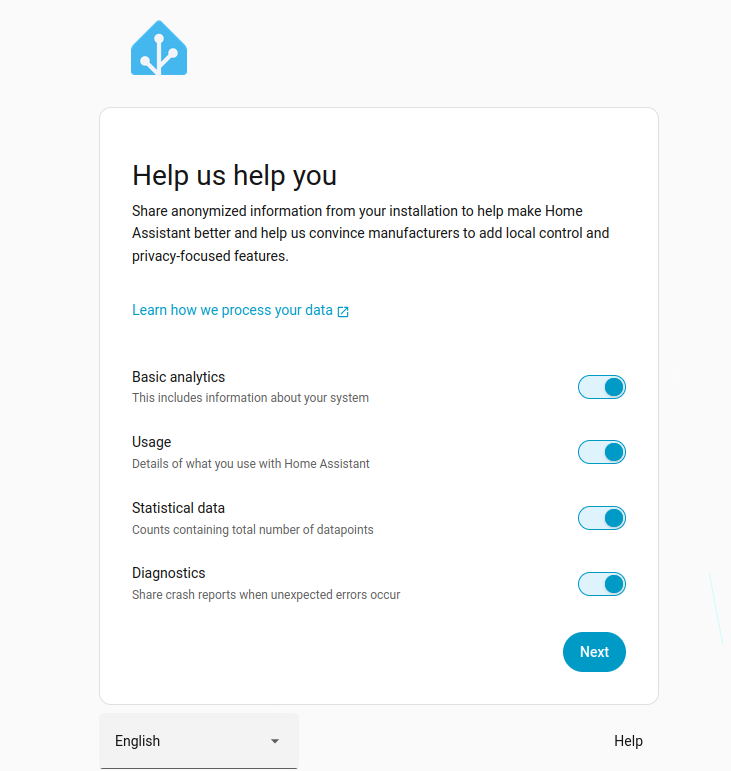
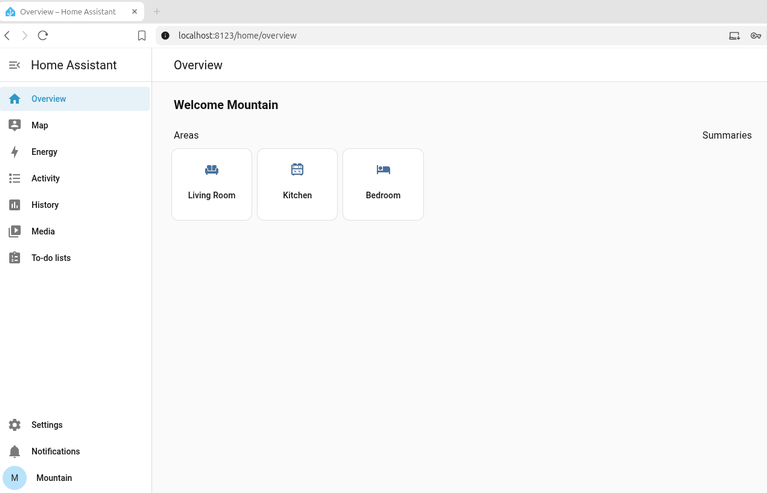
After I completed the new-user setup and finished answering how much data I wanted to share with the project, I saw an overview of my home, which currently has no devices.
Home Assistant has lots of in-app help and extensive documentation. It is an extremely powerful application, and I’m looking forward to using it to help my friend at the retreat center. If containers aren’t your thing, there are many other ways to deploy Home Assistant. The project provides extensive documentation for a wide variety of installations on Linux, macOS, Windows, and Home Assistant OS. You can also purchase a Home Assistant Green, a preconfigured appliance. Home Assistant is open source and licensed under Apache.

 Jim Hall