David Both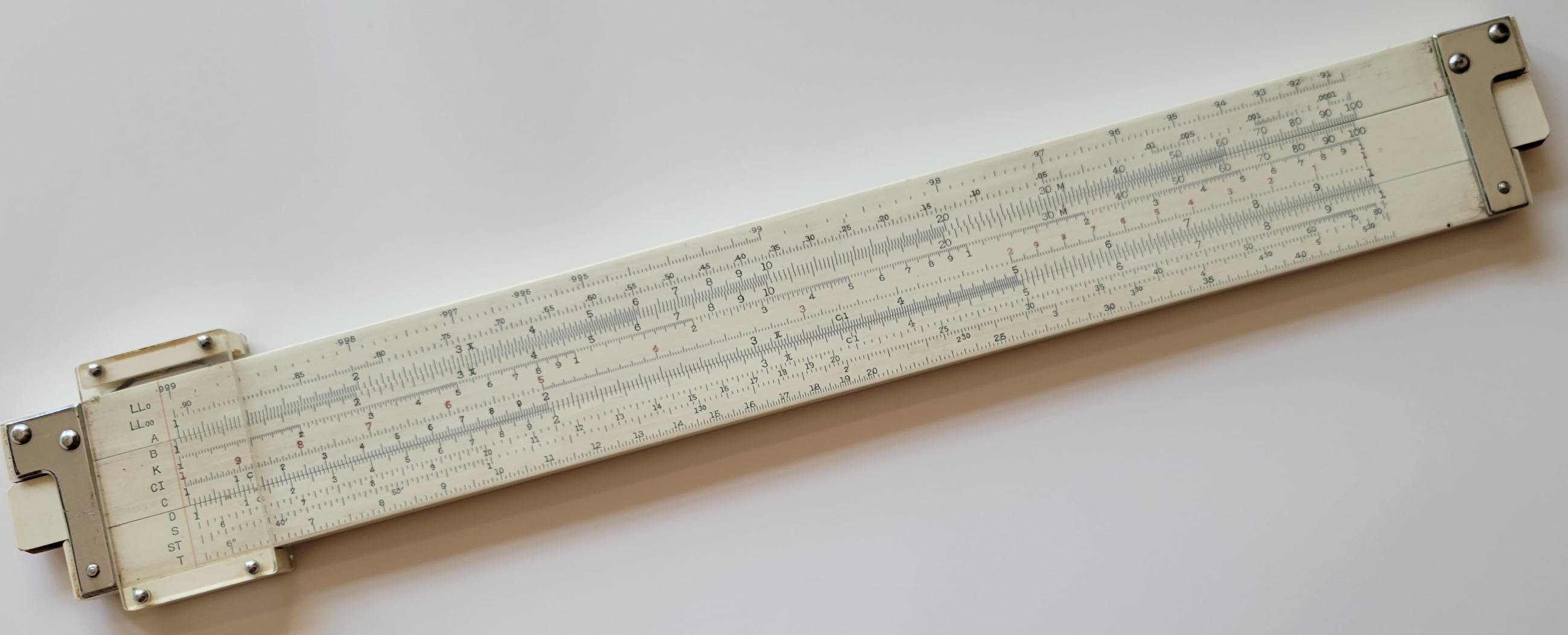
Image by David Both: CC-by-SA 4
A historical perspective into the functionality of the CPU and RAM
I started my Linux sysadmin path with hardware. I began by fixing audio equipment. I eventually went to work for IBM as a Customer Engineer (CE), repairing everything from keypunches to mid-range computers like the IBM System/3, and then finally the IBM PC. This path ultimately led me to programming and system administration.
As a sysadmin, I have found that my hardware experience often helps me solve problems. It also helps me understand the Linux operating system and the tools we use daily to locate and resolve issues with both hardware and software.
In this article, I look at some history and provide a series of qualities that can be used to define modern computers. Later articles will cover aspects of hardware, such as how the central processing unit (CPU) works, the types of memory found in computers, and how the two work together.
Let’s start with a bit of history and why the architecture of today’s computers is what it is.
The first computers
The first computers were people. Humans have been performing calculations for millennia, but 1613 is the first known use of the term “computers” as applied to people. These individuals used their brains to compute. They also used devices such as the abacus, slide rule, Friden calculator, and many other mechanical calculators to aid them. Their knowledge of mathematical formulae and computing procedures enabled them to perform complex calculations, such as those required to put humans into orbit and recover them.
The abacus is generally considered to be the first mechanical device used by humans to aid in performing mathematical calculations. The abacus was developed in what is now Iraq around 4,300 to 4,700 years ago.
In the 19th century, Charles Babbage designed a massive mechanical calculator called the difference engine, but it was beyond the technology of his time to construct. Babbage’s ideas for his machine are the precursors of some of the elements in modern computers. For example, he visualized a “store” as a data repository, and a form of mechanical processor called a “mill” (today’s CPU).
One of the first devices to foreshadow more modern computers was the Jacquard loom, circa 1860. The loom used punched cards containing programs to automate the weaving process. Other efforts to mechanize weaving preceded Jacquard and used paper tapes. These attempts did not fully automate the looms, but merely improved on methods for setting up the weaving patterns.
What constitutes a modern computer?
All of the reckoning devices up through the middle of the 20th century were calculating machines. They were very complex mechanical machines, but not computers. They performed complicated calculations according to rigid algorithms, but each lacked one or more of the essential characteristics of modern computers.
I did many online searches to find some sort of universal agreement as to what those characteristics are. I found many lists, but most of them centered around speed, reliability, and security. Although those are essential attributes for computers to have, they are not defining characteristics. They also apply to many devices besides computers. After additional searches and some thoughts of my own, I formulated the following characteristics to define what we call a computer today.
1. Stored program
The stored program is one of the primary defining characteristics of the Universal Turing Machine as envisioned by Alan Turing and is a key attribute of modern computers. Most of the mechanical calculators used external devices to store their programs. For example, the IBM 402 Accounting Machine and its successor, the IBM 403, represent one final expression of the external program devices used in many businesses up through the 1970s. They used plugboards to program their machine calculating cycles. They had just enough internal memory registers (in the form of relays) to store a few cumulative totals such as “department totals,” “weekly totals,” “monthly totals,” “yearly totals,” and so on. As a CE at IBM, I used to work on these devices.
Modern computers use random access memory (RAM) to store their programs while they are executed. The stored program concept opens up some powerful and interesting possibilities, including the ability to modify the sequence of the program execution and the content and logic of the program.
2. Stored data
The IBM 402/403 accounting machines did not internally store the information on which they worked. The data was stored on 80-column punched cards fed into the accounting machine from a hopper, usually one card per computing cycle, under the control of the plugboard program. Each card was one record. The cards required sorting and collating using specific criteria for each program before being fed into the machine’s hopper. This type of external data storage required the program to obtain its data in a predetermined order using the punched cards’ sequence.
Modern computers store their data in RAM, where it is accessed at will during program execution. This means that the data can be obtained in any sequence and as many times as needed.
3. Unified memory space
Unified memory space is an important convergence of stored programs and stored data. It provides modern computers with a single memory space in RAM for both programs and data. Because the program is stored in the same memory as data, it is easy for the program to access its own code as if it were just data. Applications can, therefore, operate upon themselves and modify their own code. Programs and data are interchangeable and can be manipulated by using the same tools.
Using a single RAM data store for both programs and data also simplifies the storage architecture and access to it. It is more flexible for storing either programs or data in different amounts for different applications.
4. Arithmetic operations
Computers perform arithmetic operations (maths) because that is what they are supposed to do. Modern computers perform many other types of activities on text and numerical data, but to the CPU, the operations all work the same way.
This characteristic seems to be left out of most of the lists I found because it would seem to be an underlying assumption about what a computer is. I prefer to make this an explicit item on my list for the sake of completeness if nothing else.
5. Logical operations
In addition to arithmetic operations, computers also perform various types of logical operations. These logical operations determine whether two numeric values are equal, or whether two character strings are the same. Among many other things, the results can determine which program path to take for further processing, or when an algorithm has completed.
6. Online storage
Online storage refers to hard disk drives (HDD), solid-state drives (SSD), or tape drives that store the data and programs “online” for immediate access during program execution. Hot-pluggable devices notwithstanding, storage disks are intended to hold the operating system, applications, and data required by the host system and remain available at all times. Online storage makes both applications and data quickly accessible for transfer to RAM—without human intervention—where the processor can access them.
Online storage is in contrast to so-called offline storage. Offline storage—which is not a required attribute for a computer—could be a removable disk or tape that is mounted as needed for specific programs. The data and programs kept in offline storage require human intervention to be accessible by the computer. For example, offline storage requires you to insert a CD, DVD, external USB or SATA storage drive, or USB thumb drive into your computer to access it.
The legacy
The punched card was the primary storage medium for both data and programs for over a century. As a result, the paradigm for data processing in the first digital computers was the same as that for the mechanical calculators they replaced. In this paradigm, each punched card represents one record. Data was still stored on punched cards even after computers were well-entrenched in modern business processes in the 1960s. That data included customer information, employee data, accounting transactions, hours worked, and more. The cards were used to perform many offline tasks, such as sorting the cards (records) into the proper sequence, extracting only cards that met specific criteria, merging cards from multiple sources into a single deck in the desired order, and more. All this was to prepare a particular set of records for use as input to whatever program would use them as input on the computer itself.
In fact, this record-based approach is so pervasive in the mainframe world that even today, IBM’s MVS operating system still uses a record-based filesystem related to many of the same concepts as punched cards.
One early language, Report Program Generator (RPG), was intentionally designed to mimic the IBM accounting machines’ calculation cycle for IBM’s mid-range and small computers. This design was explicitly intended to appeal to the many smaller companies still using the IBM accounting machines in the late 1970s.
Any machine that used punched cards is generically referred to as a “unit record” type of device.
Wrap up
So there you have it—a brief history lesson that gives a bit of perspective on how far computers have progressed beyond the original calculating machines. We need to appreciate where we came from to understand where we are today. I also listed the characteristics that define a modern computer. In my next article, I’ll tie this history into the development and functionality of modern CPUs.

 Jim Hall