5 GVim color schemes for writing code
 Jim Hall
I use all kinds of text editors, but Vim is currently my favorite on Linux. That’s probably because I learned classic vi early in my career, when I managed different Unix systems; it didn’t matter if I was on Solaris, HP-UX, Apollo, or Linux, I could always rely on vi being there. After a while, my fingers “learn” how to type the commands, so I don’t really have to think about what I’m doing—“finger memory” just makes it easy.
I use Vim whenever I’m in a terminal, especially for quick edits. But if I’m working in a graphical desktop session, I like to use tools that can leverage the desktop environment, so everything feels the same. That’s why GVim is my new favorite editor. With GVim, it’s still Vim, but running in a graphical window, not a terminal. You can install GVim using the vim-X11 package:
$ sudo dnf install vim-X11GVim reads the same vimrc file that Vim uses. By default, Vim (or GVim) looks for ~/.vimrc or ~/.vim/vimrc, in that order, and uses the first file that it finds. However, GVim will also look for ~/.gvimrc or ~/.vim/gvimrc and use that for additional initialization. You can also use an if statement in your vimrc file to detect if the editor is running as GVim (if has('gui_running')) or not (else) and load settings specific to each environment.
That’s a great feature to know about, because GVim will use the same preferences from my vimrc (such as set tabstop=4 to set my tab stops to 4 spaces) then it will read gvimrc for extra settings. For example, my gvimrc has a set guifont line that specifies a nice-looking font when editing in a graphical window.
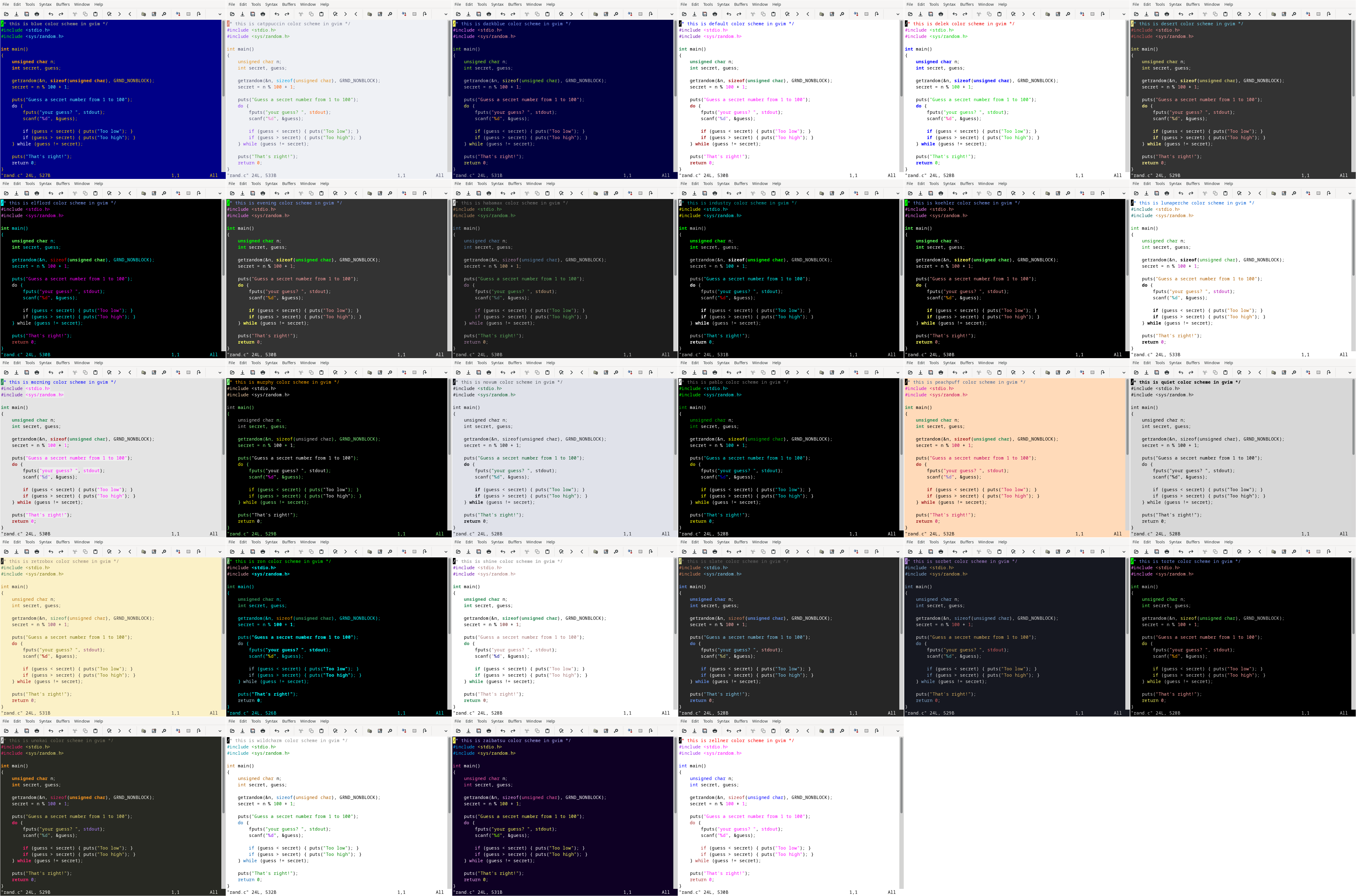
The color schemes were the most interesting to me. While I initially used the Retrobox color scheme in Vim, and it looks okay in GVim, I wanted to know what the other color schemes looked like in GVim. I created this montage of all 28 color schemes in GVim. These screenshots show a short C program that uses comments, include statements, a main function, a while loop, and several if statements. I created each screenshot by writing a new vimrc file to specify the color scheme.
While I like a dark Vim theme when I’m working in a terminal, I prefer to use a lighter color scheme in GVim. Yet the background shouldn’t be glaring white; a light gray works well for me. Highlighting shouldn’t be too bright, but it should be noticeable. With those parameters, these 5 GVim color schemes look best to me:
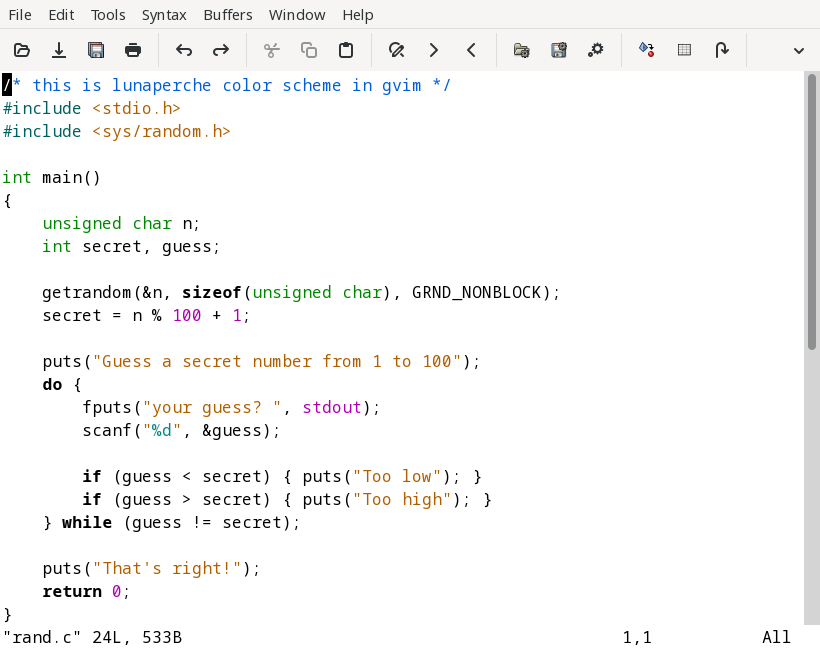
Lunaperche
This is a very nice color scheme for a graphical environment. The Lunaperche color theme uses bold type for keywords and color for almost everything else. The background is light but not too bright, which isn’t tiring on my eyes.
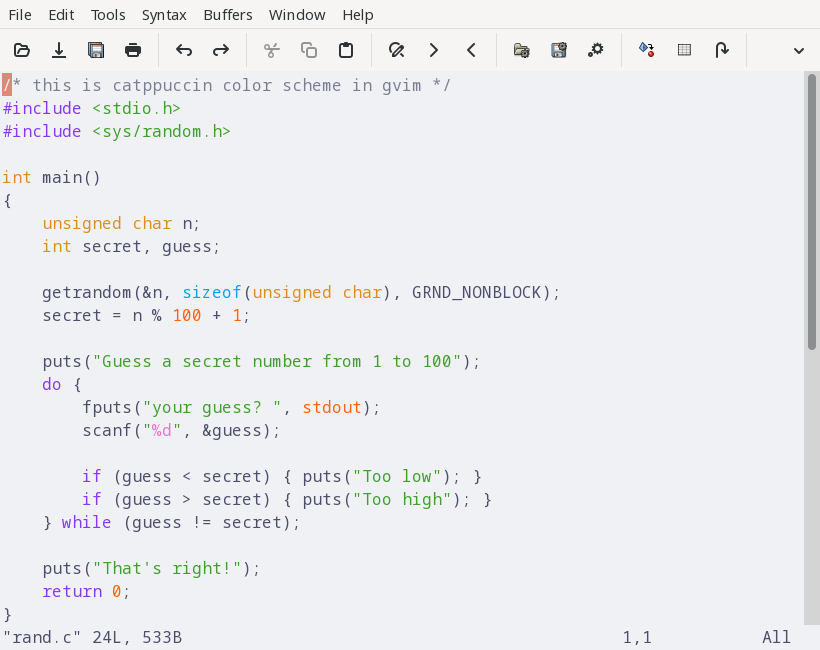
Catppuccin
I like that the Catppuccin color scheme provides obvious highlighting for code that makes it easy for me to see numbers, keywords, strings, and other kinds of code statements. However, the background color is a bit too “gray” which sometimes makes it difficult to read the text, but I found using a slightly “bolder” font counters this somewhat.
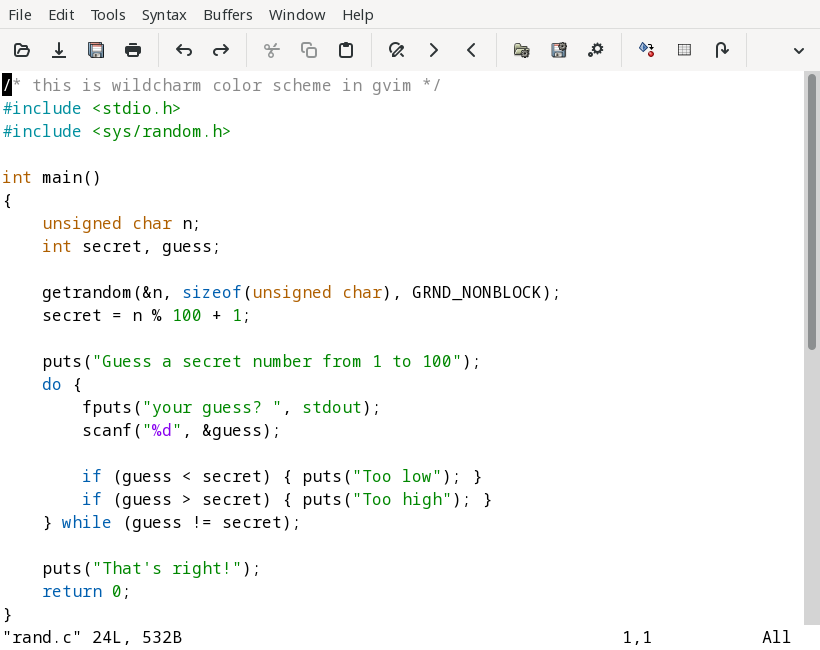
Wildcharm
I like how the Wildcharm theme uses a off-white background and muted colors that are still easy to read. The only thing I would change about this theme is to use a different color for numbers than for strings.
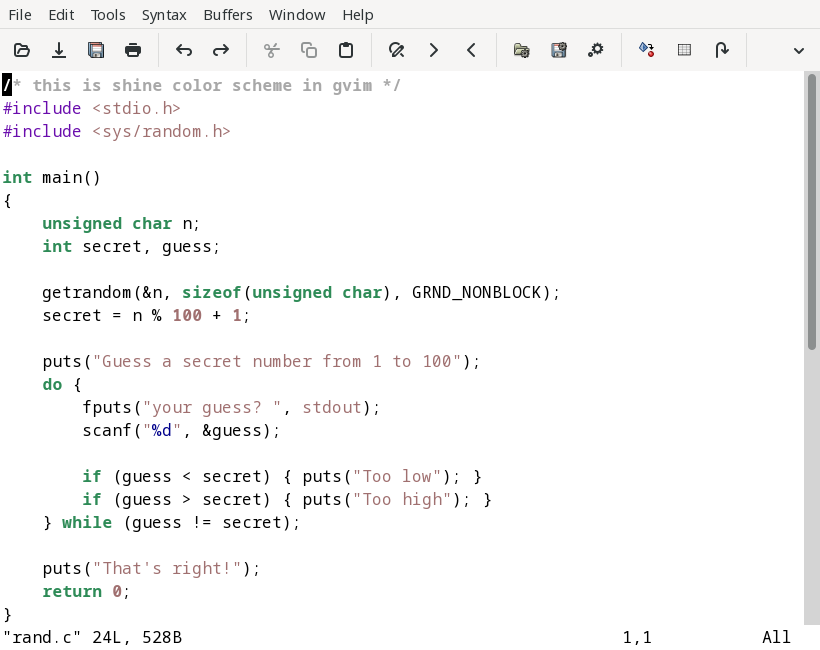
Shine
The Shine color theme provides a good balance for code. Keywords are in a different color and bold, as are numbers. Comments use a muted gray, and strings are brown.
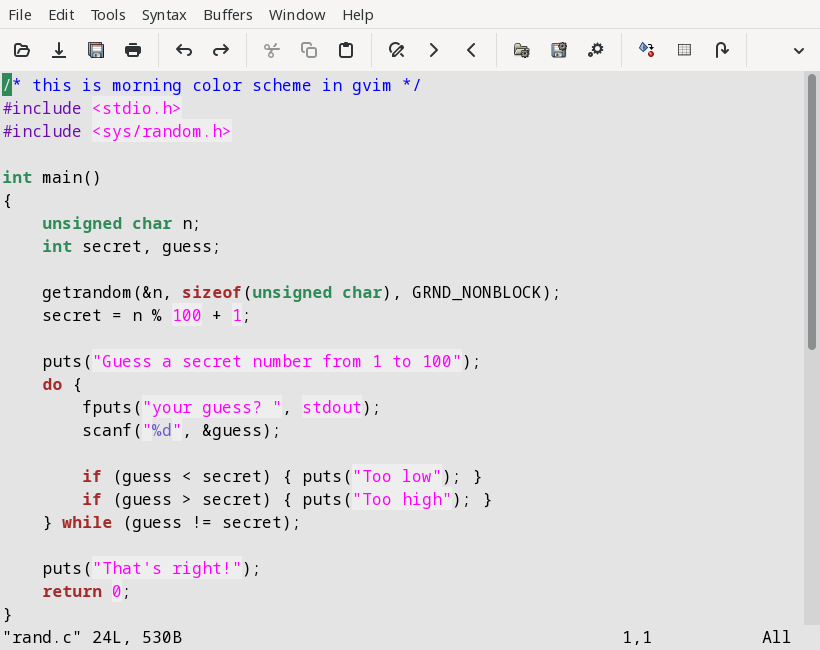
Morning
While the background color is a bit too “gray” for me, I find the Morning color scheme works well for code. A nice feature in this theme is how it highlights text and numbers with a white background, which stands out from the normal background color.
Be careful when specifying the color scheme for GVim if you also use a different theme for Vim in a terminal. It can be tempting to add the GVim color theme in gvimrc and your Vim color theme in vimrc, but GVim will read both of these files: vimrc then gvimrc. Loading one color scheme on “top” of another will not give you the results you are looking for.
Instead, use an if statement in your vimrc file, such as ~/.vimrc or ~/.vim/vimrc and add a specific colorscheme when GVim is running, and a different colorscheme when it’s Vim. The has('gui_running') condition will be “true” only for GVim. For example, to make Lunaperche the default color theme whenever you start GVim, while using Habamax for Vim, add this line to your vimrc file:
if has('gui_running')
  colorscheme lunaperche
else
  colorscheme habamax
endif
You can put other GVim initialization in your if block, but I prefer to set other “GUI” options in gvimrc. For example, I use this line in gvimrc to set the GVim font to IBM Plex Mono, 14 point: (Note that because the font name has spaces in it, I need to “protect” the spaces using a backslash.)
set guifont=IBM\ Plex\ Mono\ 14When using the Catppuccin color scheme, I used a slightly “bolder than normal” font weight by specifying weight=450 on the font line. Normal or “Regular” font weight is 400, and “Medium” weight is 500, so 450 is in the middle: (Add the font weight before the font size.)
set guifont=IBM\ Plex\ Mono\ weight=450\ 14