My first programming language
 Jim Hall
Last Updated on May 25, 2024 by David Both
The BASIC programming language turned 60 years old this month. On May 1, 1964, professor John Kemeny with a student ran the first BASIC program on a Dartmouth College computer system. If you don’t know BASIC, the Beginner’s All-purpose Symbolic Instruction Code, it was a simple programming language that made it easy for beginners to write their first computer program.
BASIC became a popular programming language to include in early personal computers. The Commodore PET, TRS-80, and Apple computers (1977) all came with their own versions of BASIC. The IBM PC 5150 (1981) also included a version of BASIC. With BASIC, it was finally possible for everyday computer users to create their own useful and interesting programs.
And because BASIC has turned 60 years old, I’d like to look back and celebrate BASIC as my first programming language.
Apple BASIC
My family bought an Apple II computer, and my brother and I read books to teach ourselves how to write our own BASIC programs. My first programs were pretty simple: math quizzes and puzzles, like a game where the computer picked a random number from 1 to 100 and you had to guess it. BASIC made this easy for me. Its simple syntax and numbered lines gave me a certain flexibility to create programs. As I became more advanced, I learned about graphics programming and created more complex and visually interesting programs like adventure games and simulations.
I can go back to Apple BASIC thanks to an open source Apple II emulator called apple2js by Will Scullin. You can find the source code at apple2js on GitHub, under the MIT license.
Scullin’s Apple II emulator provides the virtual hardware, and you can select different virtual floppy disks using the menu. Booting from the DOS 3.3 Master gives me the same environment I used to create my Apple BASIC programs back in the late 1970s and early 1980s.
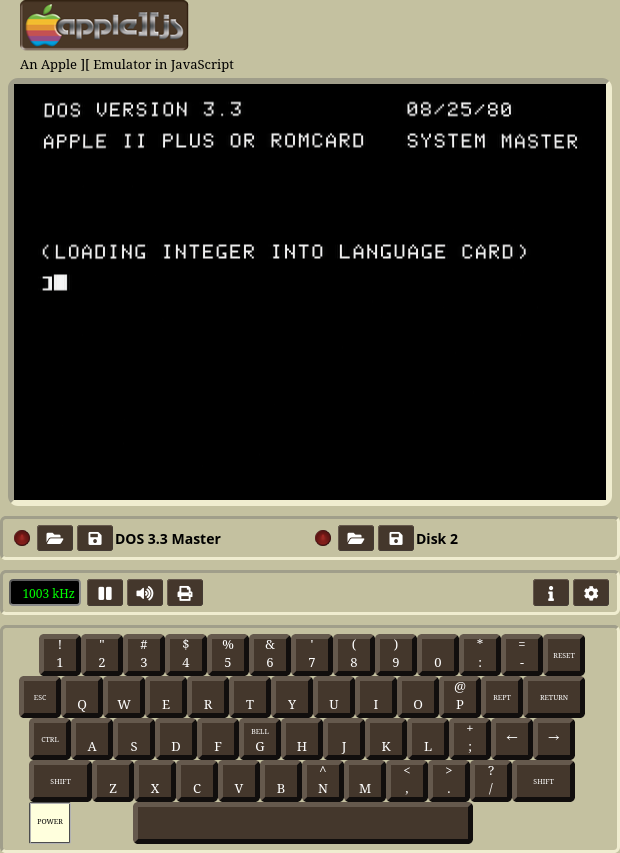
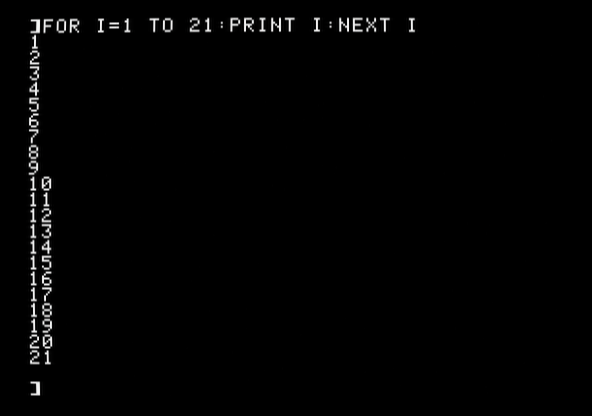
Apple provided a very simple environment that immediately put you into a “programmer” mode. You could enter one-line BASIC commands here, such as PRINT "Hello" to print some text, or a one-line instruction like FOR I = 1 TO 21 : PRINT I : NEXT I to print the numbers from 1 to 21. To start a new program, use the NEW command, and to clear all variables from memory, use the CLEAR instruction. The HOME command clears the screen and positions your prompt at the upper-left corner.
Low-resolution graphics
The Apple II had two graphics modes: low resolution and high resolution. The low-resolution mode provided blocky pixels from 0,0 in the upper-left to 39,39 at the lower-right, with a few lines of text at the bottom. You could also select an alternate mode that eliminated the text lines and gave you a few extra rows of graphics.
Let’s explore this graphics mode by writing a simple program to draw a chart. For this sample, we’ll start the graphics at the middle-left of the screen at x=0 and y=20. At each iteration, we’ll generate a random number using RND. This gives a floating point value from 0.0 to 0.999… We’ll move the next pixel “up” or “down” depending on the value of that random number; if it’s less than 0.5, we’ll move it up, otherwise we’ll move it down.
We can describe the functionality using this pseudocode:
y = 20
for x = 0 to 39 {
  plot x,y

  if (rnd<.5) {
    y--
  }
  else {
    y++
  }
}
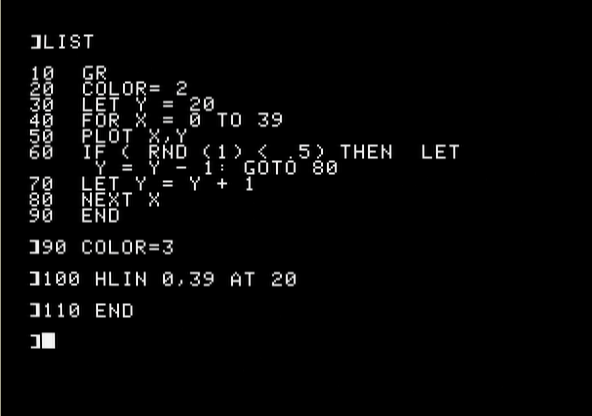
With that overview of the program, we can enter the corresponding BASIC code into the Apple II:
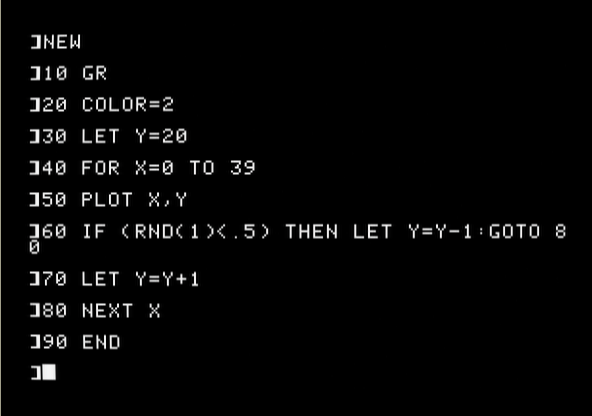
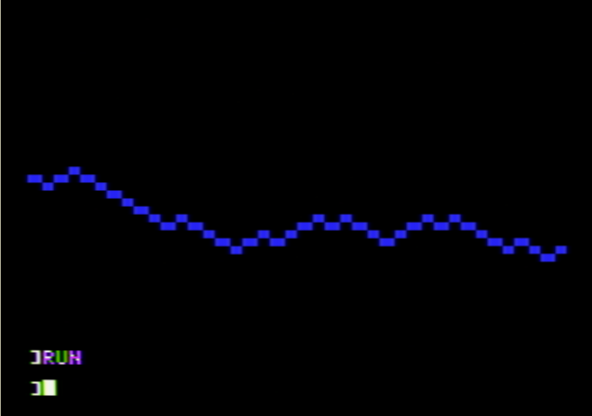
If we run this program, we’ll see a series of low-resolution pixels that start at 0,20 and move up and down according to the values returned by the random number generator. In this case, the plot stays pretty close to y=20:
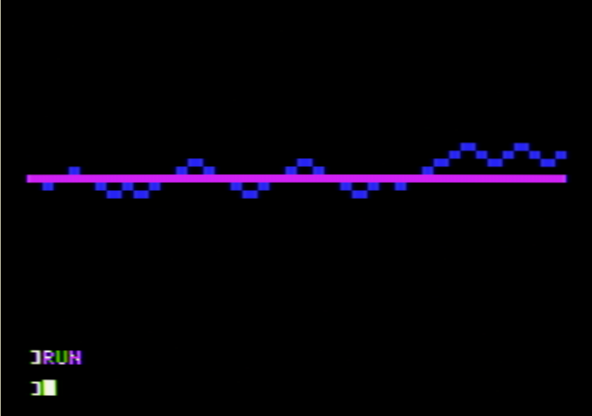
It might be interesting to draw a horizontal line across the finished chart, so we can see how much the random fluctuations deviated from the “zero” point. It’s easy to add to a BASIC program by just typing in new lines. Let’s replace the END instruction at line 90 with some extra lines to draw a horizontal line in a different color:
The new chart now shows a horizontal line across the middle of the screen, from 0,20 to 39,20.
High-resolution graphics
Apple BASIC also supported a higher graphics mode at 280,160 resolution, with a few lines of text at the bottom of the screen. As with low resolution graphics, you could also use an alternate mode that used full-screen graphics, and gave you more graphics lines. But let’s use the standard high graphics mode to write a simple program.
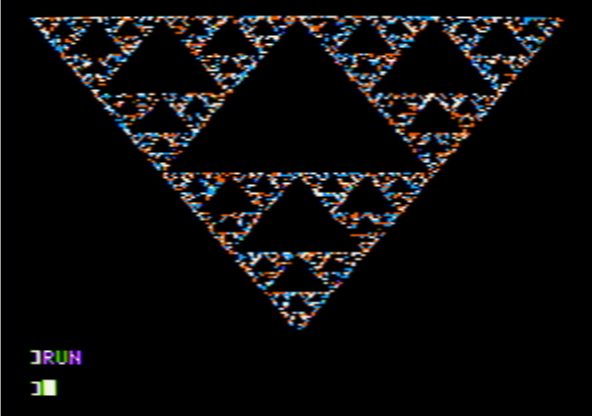
Sierpinski’s Triangle is a fun program that demonstrates how you can create a fractal image through successive random values. To generate the triangle, start by defining three points on the screen, and a random x,y starting value. To draw successive pixels, pick a vertex of the triangle, and draw a dot at the midpoint between the last location and the triangle corner. After many iterations, you will see Sierpinski’s Triangle.
Writing a nontrivial BASIC program can be challenging, so I always started by describing the program using a flow chart or by writing it out as words. In this case, we can describe this Sierpinski Triangle algorithm using pseudocode:
x(1) = 0 ; y(1) = 0
x(2) = 279 ; y(2) = 0
x(3) = 140 ; y(3) = 159

xi = random(0 to 279)
yi = random(0 to 159)

for n = 1 to 1000 {
  hplot xi,yi

  i = random(1 to 3)
  xi = int( (xi+x(i)) / 2 )
  yi = int( (yi+y(i)) / 2 )
}
Now we need to enter that program into the Apple BASIC environment:
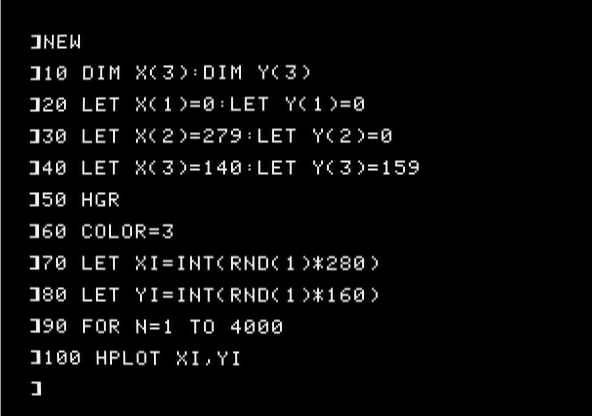
There’s a lot to enter, but the Apple only shows 25 lines of text at a time, and we’ll need more than that to enter the entire program. Here’s what it looks like when I’m done:
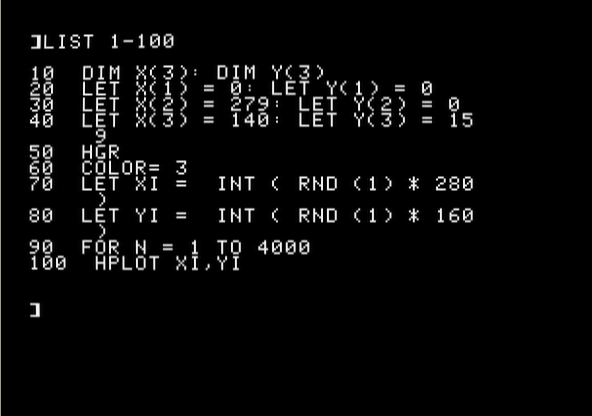
and:
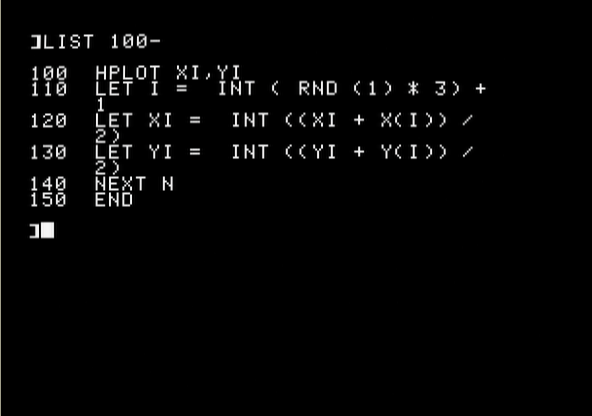
And when we run the program, the Apple will draw Sierpinski’s Triangle to the screen. This takes several minutes on the Apple II, because 4,000 iterations is a lot for a 1MHz processor, but eventually we’ll see this:
Exploring BASIC programming
Apple BASIC was how I first learned how to write my own computer programs. This simple interface and programming syntax made it easy for me to enter, run, and debug programs.
A few years later, my family replaced our Apple II at home with a new IBM Personal Computer PC-5150, running DOS and a new version of BASIC. But it was still BASIC, and I continued to use BASIC until I went to university and learned other programming languages like FORTRAN77 to write data analysis programs and C to write command line utilities. While I prefer more modern programming languages, I still found it fun to rediscover “retro” programming with Apple BASIC using this open source Apple emulator.