 Don Watkins
Last Updated on February 3, 2026 by David Both
It’s been a while since I tried a new Linux distribution, so I was game for a new experience when an edtech blogger I follow suggested giving Zorin OS a try. I had heard of Zorin but had never downloaded or installed it until recently. The landing page for the site proudly proclaims that Zorin is:
“Zorin OS is the alternative to Windows and macOS designed to make your computer faster, more powerful, secure, and privacy-respecting.”
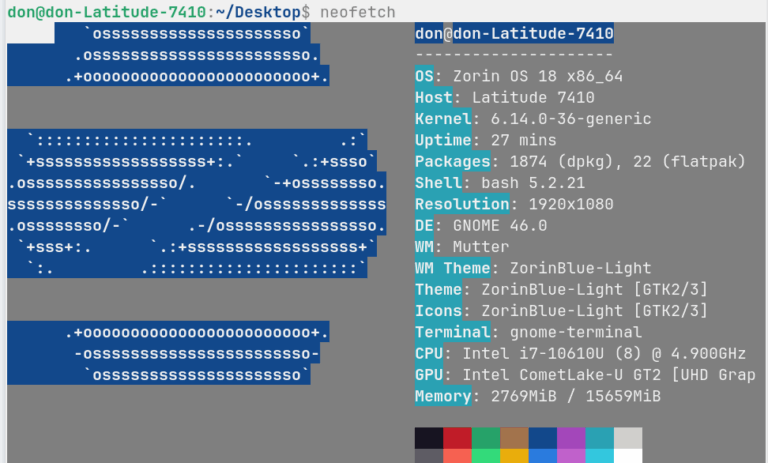
There is a download button right in the middle of the page, and upon clicking, I was invited to try Zorin OS 18 Pro, Core, or Education. I opted for Zorin Core, which is free to download; Zorin Pro is $47.99 plus tax. After the download finished I tried Zorin in a virtual machine with VirtualBox. It looked inviting enough that I made a boot drive with Linux Mint Cinnamon 22.2, which is my daily driver, and installed it on an extra laptop I have for projects like this. Zorin is based on Ubuntu, and the installation is very similar to that of any Ubuntu-based distribution. Once installed and updated, I began to explore the desktop experience. Zorin Core is a Gnome desktop with a twist. It’s heavily customized and looks a bit like the Cinnamon desktop I’m familiar with on Linux Mint. Here’s a ‘neofetch’ look at my computer. You can see that I have an i7 with 16 GB RAM, and Zorin is running Gnome 46, and it supports FlatPak out of the box.
Zorin comes with ScreenShot as part of the base intall.
The Zorin desktop looks a lot like Windows 7 or Windows 10 and would be easier for a Linux newcomer to feel comfortable with.
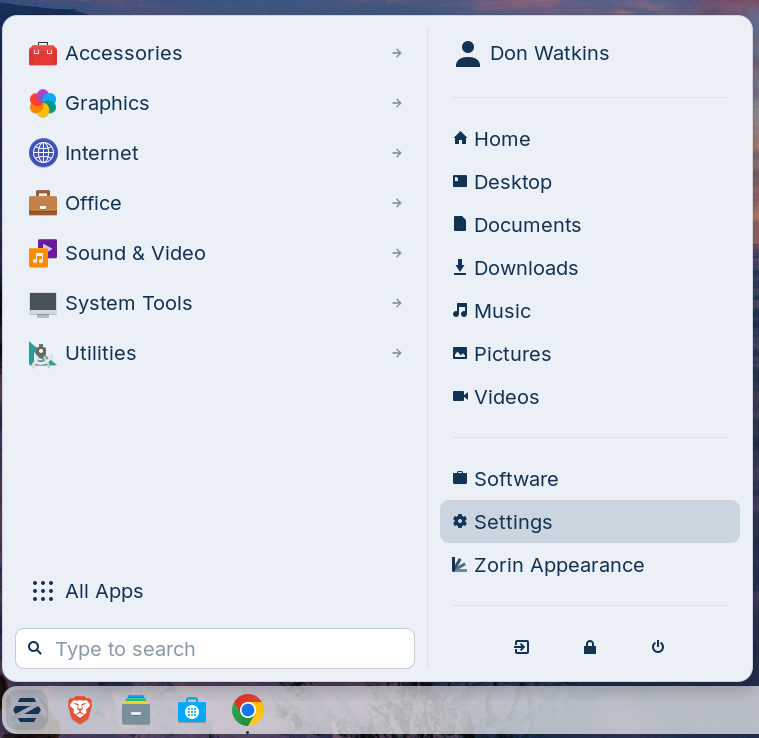
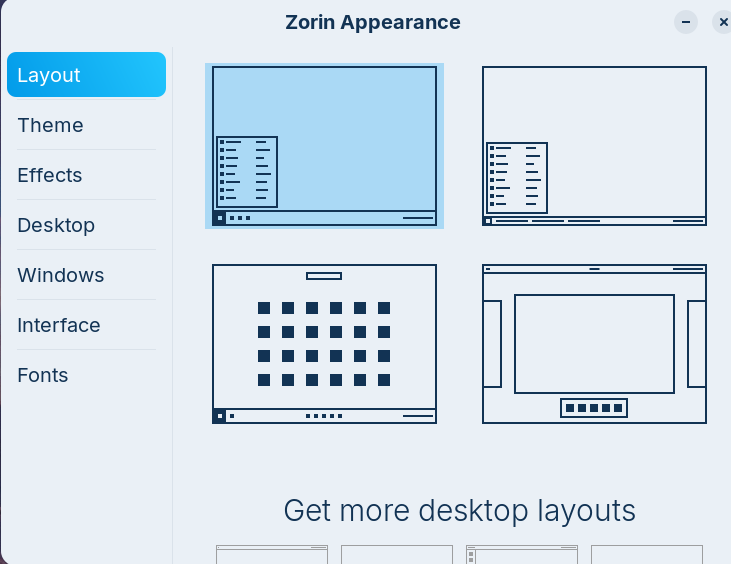
Zorin is privacy-conscious and comes with Brave as the default browser install. It also comes with Remmina for remote desktop support. Zorin makes it easy to change the way your desktop looks with a menu item “Zorin Appearance.’ You can easily change the layout, theme, effects, and more. You can opt for a more classic Gnome look.
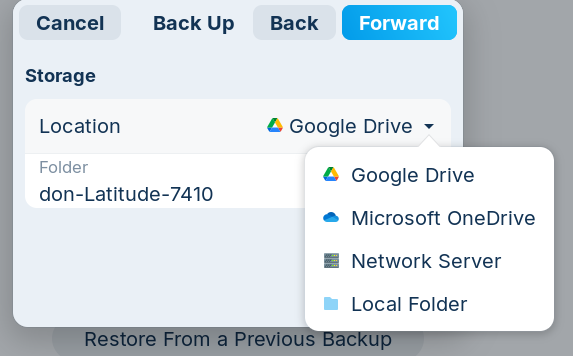
Zorin even has built-in Microsoft Windows application support with ‘Wine and Bottles’ as part of the System Utilities menu item. There are parental controls in System Utilities, as well as a tool to send feedback to Zorin about problems you might encounter. Zorin includes a backup utility based on Deja-Dup, which backs up your home folder to Google Drive, Microsoft OneDrive, a network server, or a local folder.
Zorin OS is based on Ubuntu 24.04 LTS. It was initially released in 2009. The project was started in 2008 by co-founders Artyom and Kyrill Zorin. Their goal was to create a Linux distribution that is easy for newcomers—especially Windows users—to adopt, while still offering the power and flexibility experienced Linux users expect. The company is based in Dublin, Ireland. Zorin has an active community of users who help provide support for the distribution. Zorin is active on Github.
In the end, Zorin OS impressed me in all the right ways. It isn’t trying to reinvent Linux so much as refine it—building on Ubuntu’s stability, adding a carefully tuned Gnome experience, and delivering a level of out-of-the-box polish that many distros only reach after a weekend of tweaks. For longtime Linux users, the draw isn’t just the Windows-like layout or the curated defaults; it’s the feeling that Zorin is designed for real, everyday use rather than experimentation. With its privacy-conscious decisions, integrated Windows-compatibility tools, and a community clearly committed to the distro’s long-term future, Zorin OS stands out as a project that genuinely respects both newcomers and power users alike.



 Jim Hall